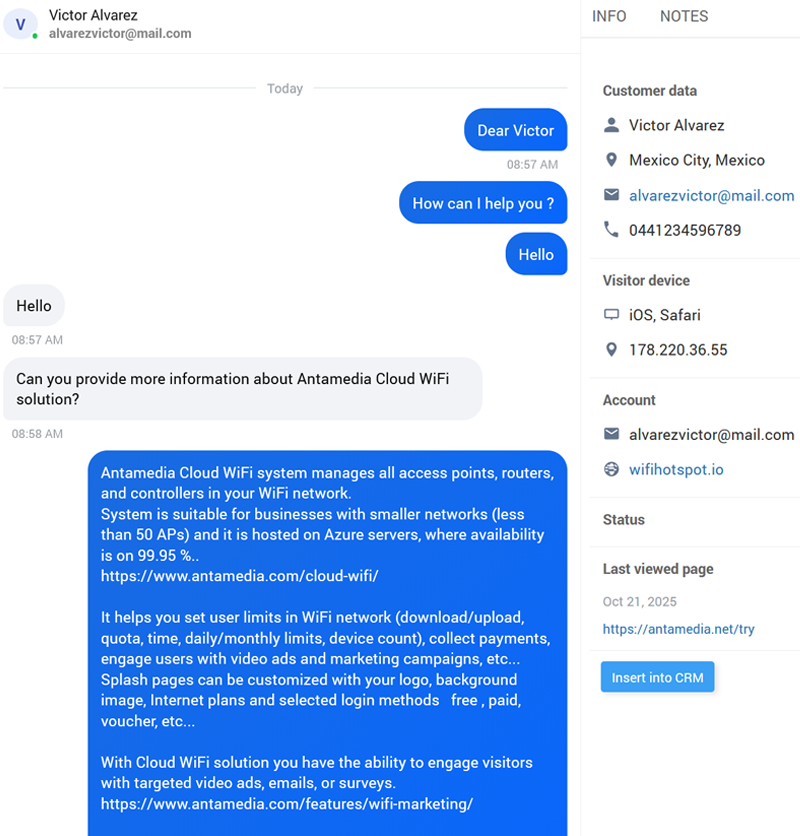
Antamedia Chat
Real-time assistance replaces phone calls and email wait times.
One support console brings front desk, sales, and tech support together so anyone available can assist.
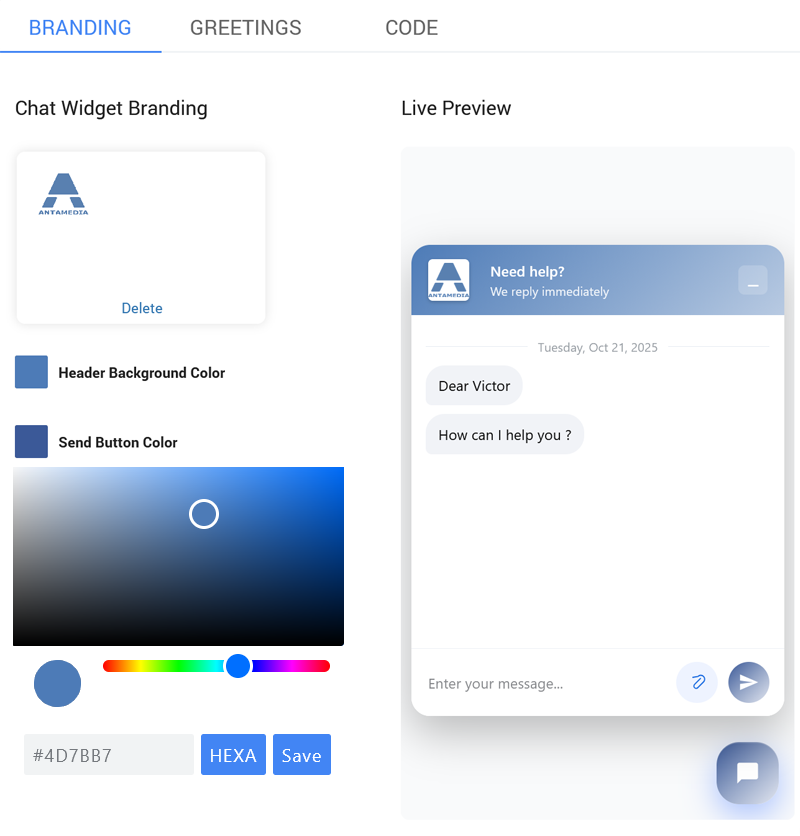
Every chat becomes a CRM contact with history, tags, and notes (Antamedia CRM required). One widget covers your website and captive portals – you decide where it appears. Brand it with your logo, colors, and greeting messages.
Go to the CRM portal, Chat Settings section, to configure chat.

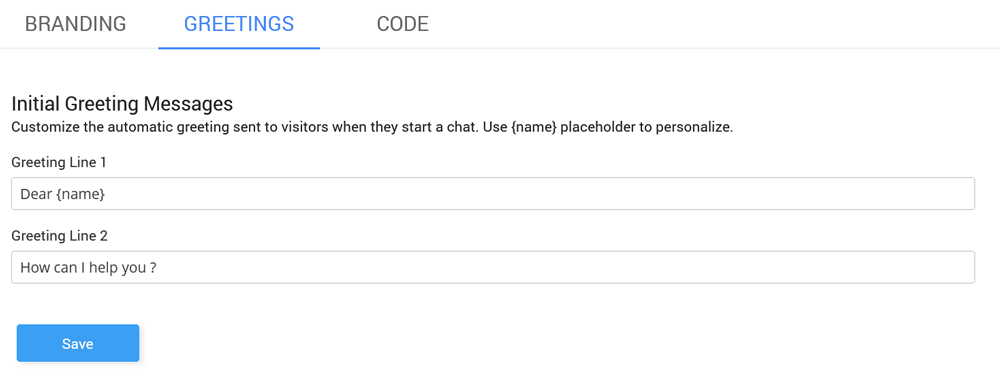
In the Greetings tab, customize the automatic greeting sent to visitors when they start a chat. Use {name} placeholder to personalize.
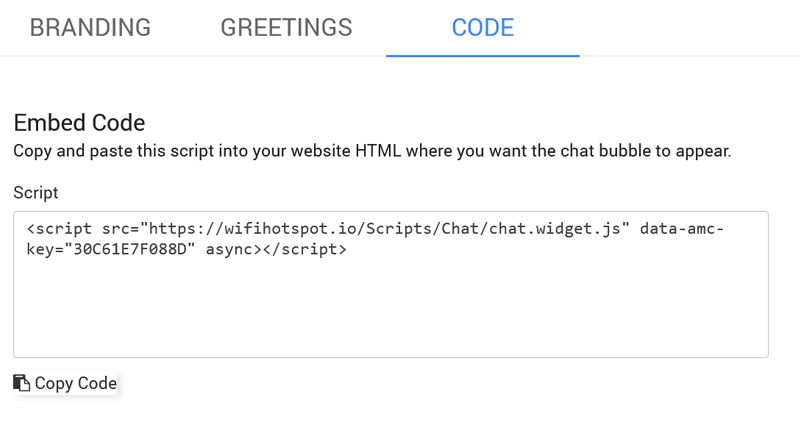
From a Code tab, copy and paste a small script into your website or splash page.
The widget loads fast and stays out of the way until needed.
Pick chat bubble colors and chat logo image in the Branding panel.
Your team replies in real time without page refresh and hands off conversations when needed. Contacts and transcripts are automatically imported into the Antamedia CRM.