
Engage Dashboard
The Engage Dashboard gives you a quick overview of your contacts, leads, lists, campaigns, tasks, and recent customer communication activity.
Use the Dashboard to monitor how your contact database is growing, review campaign and message activity, and quickly access the main Engage modules from the left menu.
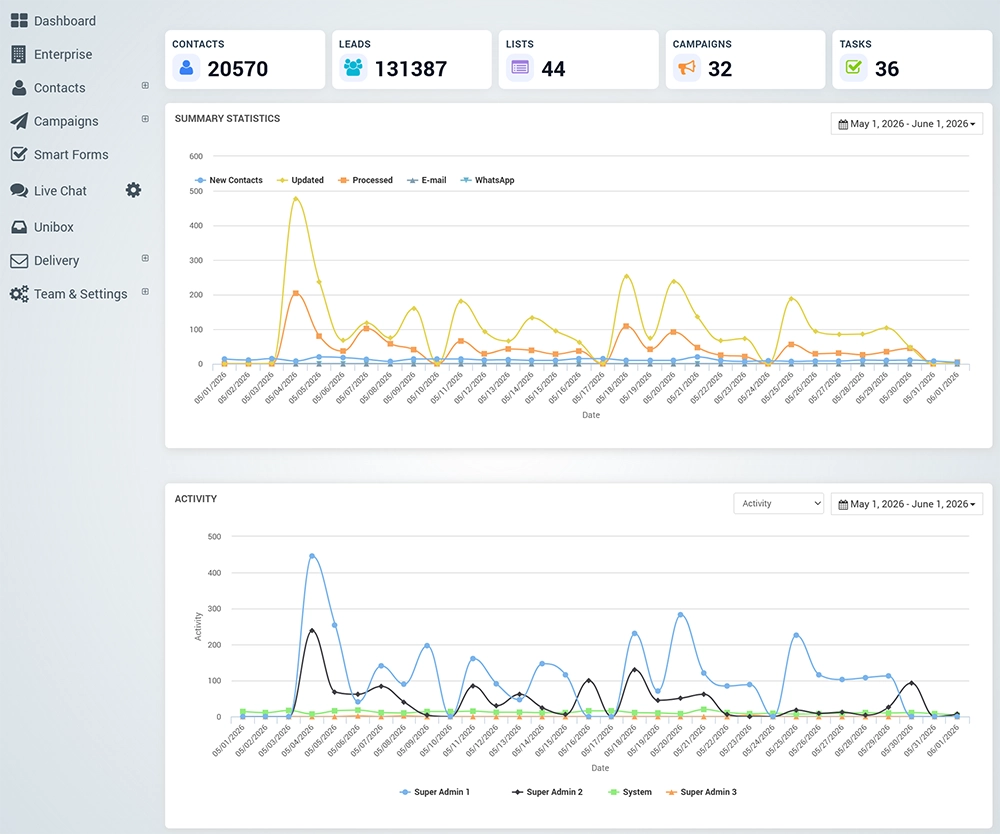
The top section of the Dashboard displays the main Engage account counters.
Contacts shows the total number of saved contacts in your account.
Leads shows the number of collected leads that can be used for follow-up, segmentation, or campaigns.
Lists shows the number of available contact lists.
Campaigns shows the total number of created campaigns.
Tasks shows the number of created or pending tasks
The Summary Statistics
The Summary Statistics chart shows contact and campaign-related activity for the selected date range.
This chart helps you track how your Engage data changes over time and how communication activity is processed.
The chart can display the following information:
New Contacts – contacts added during the selected period.
Updated – contacts that were updated.
Processed – records processed by Engage.
E-mail – email campaign activity.
WhatsApp – WhatsApp campaign activity.
Use the date selector in the top-right corner of the chart to change the reporting period.
The Activity chart
The Activity chart shows campaign or communication activity during the selected period.
You can use the activity filter to select the type of activity you want to review, and the date selector to adjust the reporting period.
This helps you understand when customer activity happened and which campaign or process generated engagement.
Best Practice
Check the Dashboard regularly to monitor contact growth, campaign activity, and customer engagement.
Use the date range selectors to compare different periods and identify when new contacts, updates, or campaign activity increased.
If campaign activity appears lower than expected, review your contact lists, segments, delivery status, and campaign configuration.