
Introduction to Antamedia Engage
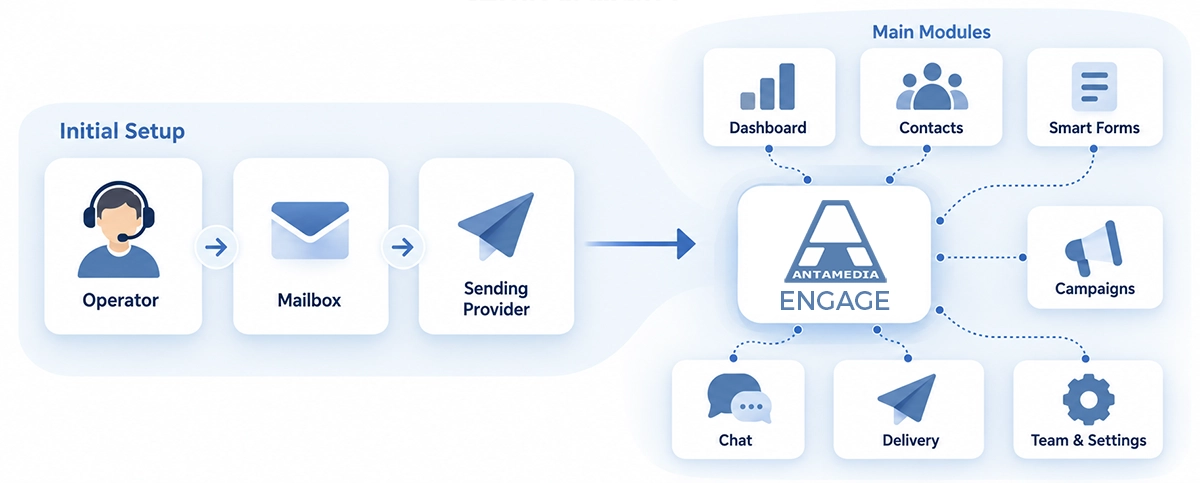
Antamedia Engage is a customer engagement and marketing platform that helps businesses collect leads, manage contacts, create targeted campaigns, and communicate with customers from one central dashboard.
Engage connects Smart Forms, contact lists, customer segments, email campaigns, automated sequences, and Chat, helping you turn customer interactions into ongoing relationships.
Whether you want to collect new leads, follow up with interested customers, or organize marketing communication, Engage provides the tools to manage the entire process.
Accessing Engage
If you use multiple Antamedia products, you can access Engage through the product switcher.
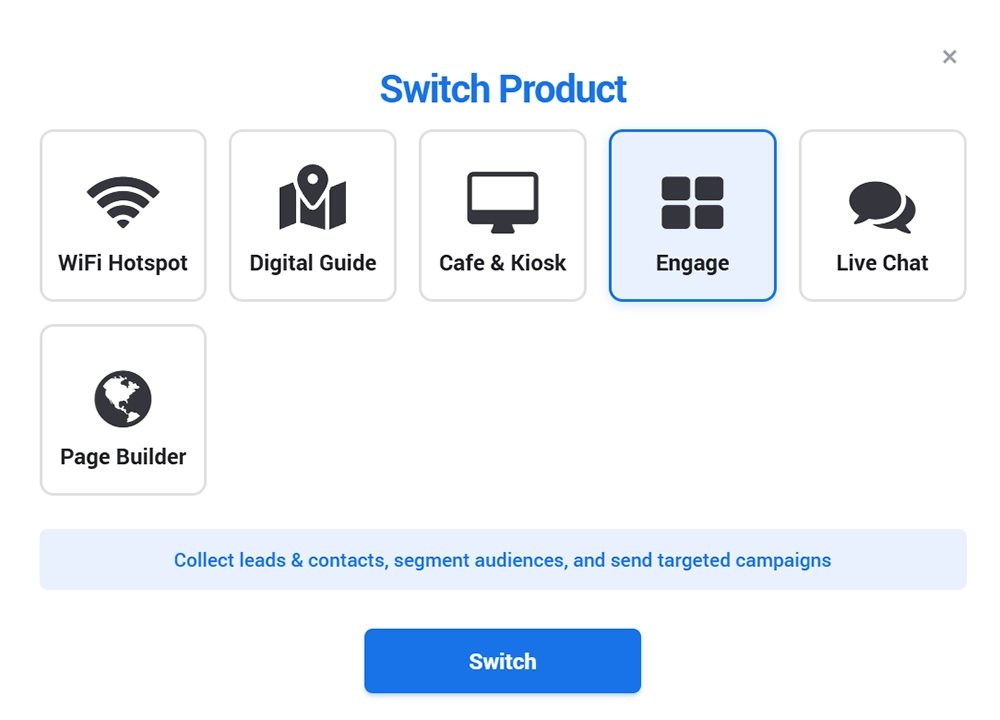
Log in to your Antamedia account.
Click Switch Product in the top navigation menu.
Select Engage from the list of available products.
Click Switch to open the Engage dashboard.
Once inside Engage, use the left navigation menu to access contacts, campaigns, Smart Forms, Chat, and other features.
Engage is used to collect leads and contacts, segment audiences, and send targeted campaigns from one platform.
Initial Setup
When Engage is not yet configured, the system displays a setup notification at the top of the page.

When you access Engage for the first time, you may see a setup notification at the top of the page if the initial configuration has not been completed.
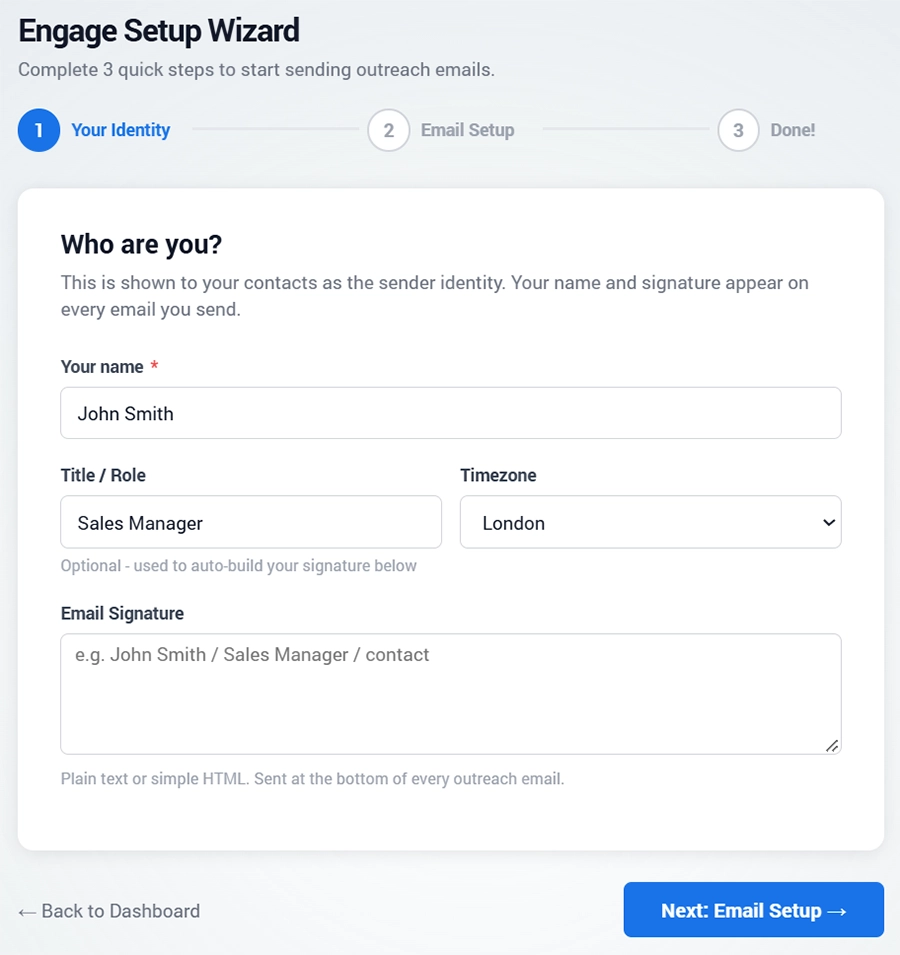
Click Start Setup to open the Setup Wizard.
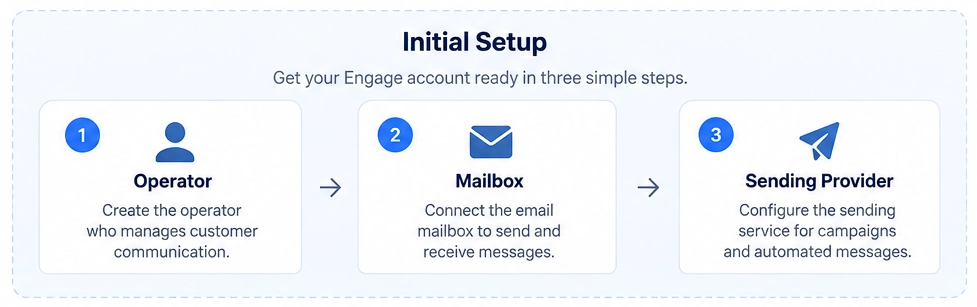
The wizard guides you through three steps:
Step 1 – Operator
Create or configure the operator account responsible for managing customer communication.
The operator identifies the person who works with incoming messages and customer interactions.
Step 2 – Mailbox
Connect or configure the email mailbox used to send and receive customer messages.
Make sure you use a valid business email address that your organization can access.
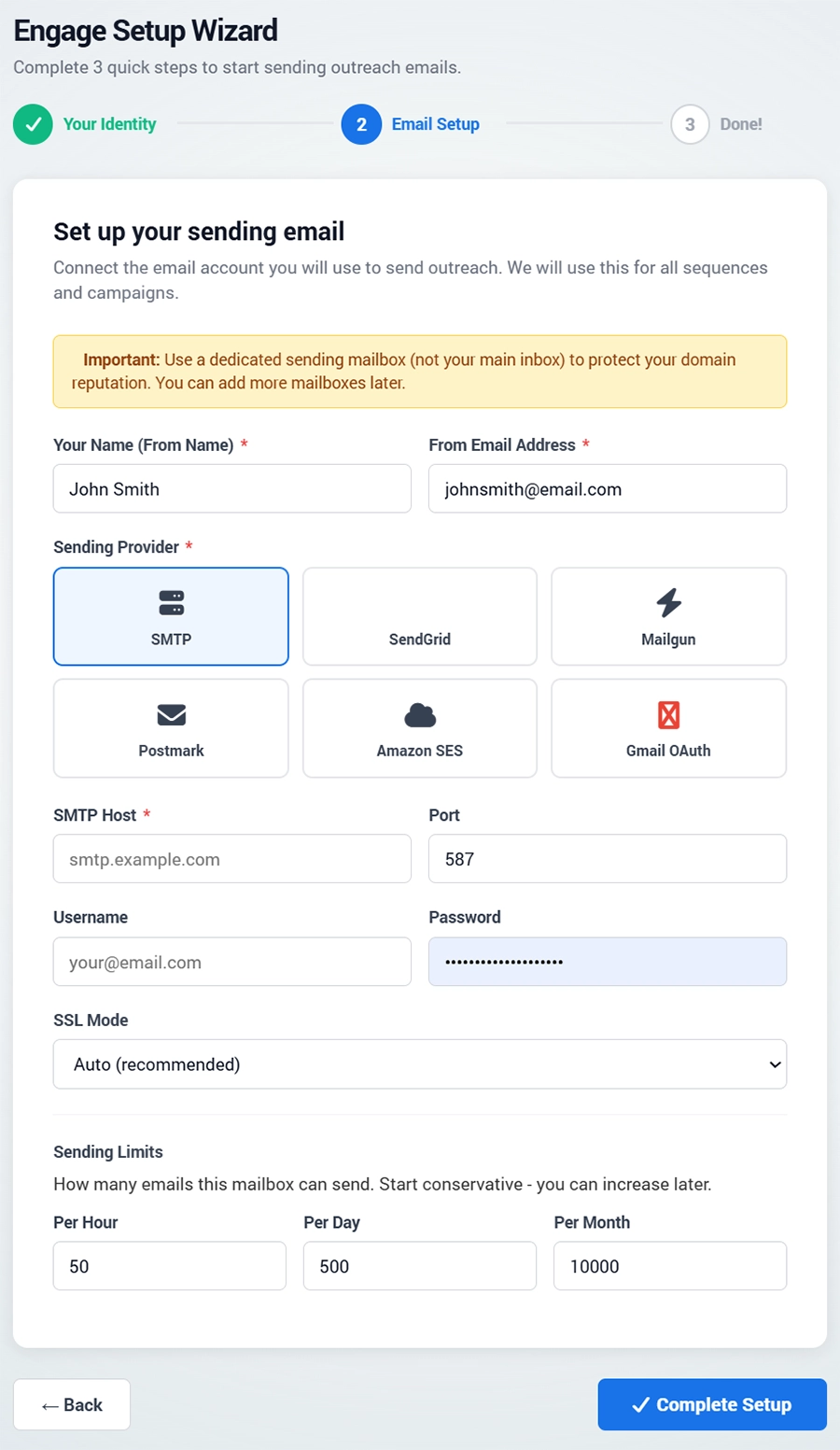
Step 3 – Sending Provider
Configure the sending service used to deliver email campaigns and automated messages.
Follow the instructions provided by the selected sending provider to complete the connection.
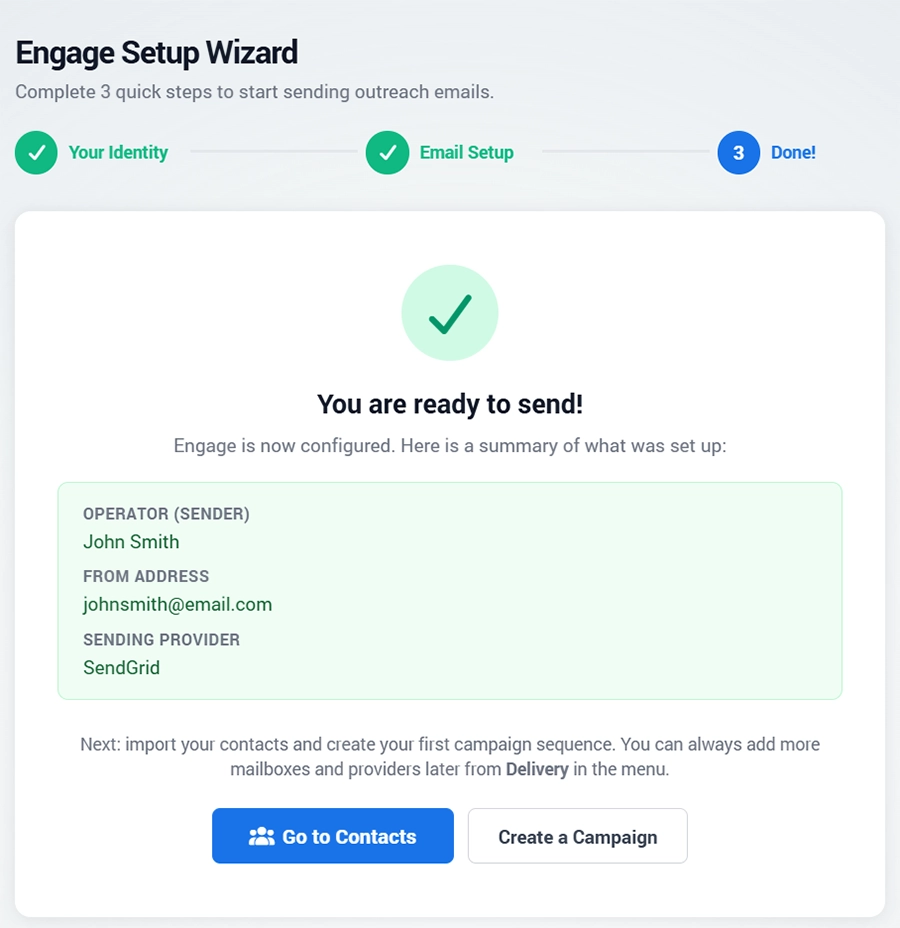
Important: Your sending provider must be properly configured before you start sending email campaigns.
Once all three steps are complete, you can begin working with contacts, Smart Forms, and campaigns.
Main Engage Modules
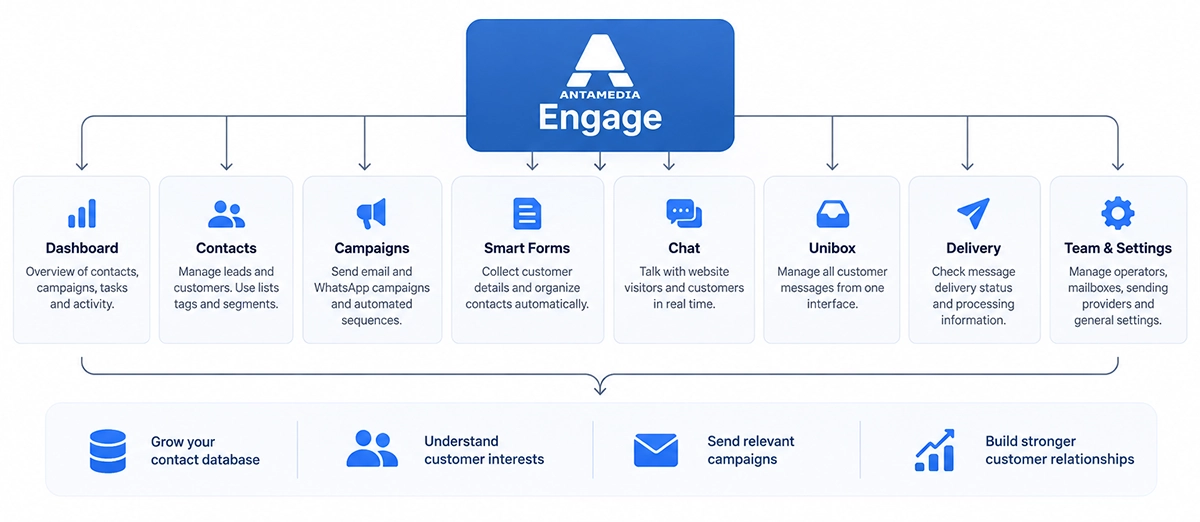
Antamedia Engage brings together all the tools you need to manage customer relationships, collect leads, create marketing campaigns, and communicate with customers.
After completing the initial setup, use the left navigation menu to access the main modules.
Dashboard
Provides an overview of your customer engagement activities, including contacts, leads, campaigns, tasks, and performance statistics. Use the Dashboard to monitor activity and quickly access important information.
Contacts
Manage your customers and leads in one centralized database. Add or import contacts, organize them into lists, assign tags, and create segments based on customer interests and information.
Campaigns
Create and manage targeted marketing campaigns through email, WhatsApp, and other supported channels. Send one-time broadcasts or configure automated message sequences to follow up with customers.
Smart Forms
Create customizable forms to collect customer information, inquiries, and leads. Use form responses to organize contacts, apply tags, and identify customer interests for future communication.
Chat
Communicate with website visitors and customers in real time. Answer questions, provide assistance, and identify potential sales opportunities through direct conversations.
Unibox
Manage incoming customer messages and conversations from one unified inbox. Keep communication organized and help your team respond to customer inquiries efficiently.
Delivery
Monitor the delivery and processing status of campaign messages. Review sending activity, identify failed deliveries, and troubleshoot communication issues.
Team & Settings
Configure operators, mailboxes, sending providers, team access, and general Engage settings. Manage the accounts and services required for customer communication.
How Engage Works
Antamedia Engage connects customer information, marketing campaigns, and communication tools into one workflow.
Collect Leads: Capture customer information through Smart Forms, Chat, or contact imports.
Organize Contacts: Use lists, tags, and segments to group customers by their interests.
Engage Customers: Send targeted campaigns, automate follow-ups, and manage conversations.
Track Results: Monitor campaign activity and message delivery through Dashboard and Delivery.
This connected workflow helps businesses turn customer interactions into long-term relationships.
Example: A website visitor completes a Smart Form requesting information about WiFi Hotspot. Their details are saved as a contact, organized using tags, and can be included in a relevant follow-up campaign.
Getting Started with Engage
After completing the initial setup:
Open Contacts to add or import your customer list.
Create Smart Forms to collect new leads.
Use Campaigns to prepare and test your first marketing message.
Review results through Dashboard and Delivery.
You're now ready to start using Antamedia Engage to manage contacts, campaigns, and customer communication.
Important: Before sending marketing messages, ensure you have the appropriate consent or other legal basis and provide an unsubscribe option where required.