
Unibox
Unibox brings customer conversations from connected mailboxes into one shared workspace.
Use it to review incoming messages, search conversations, filter by mailbox, and reply from the same place inside Antamedia Engage.
Unibox Overview
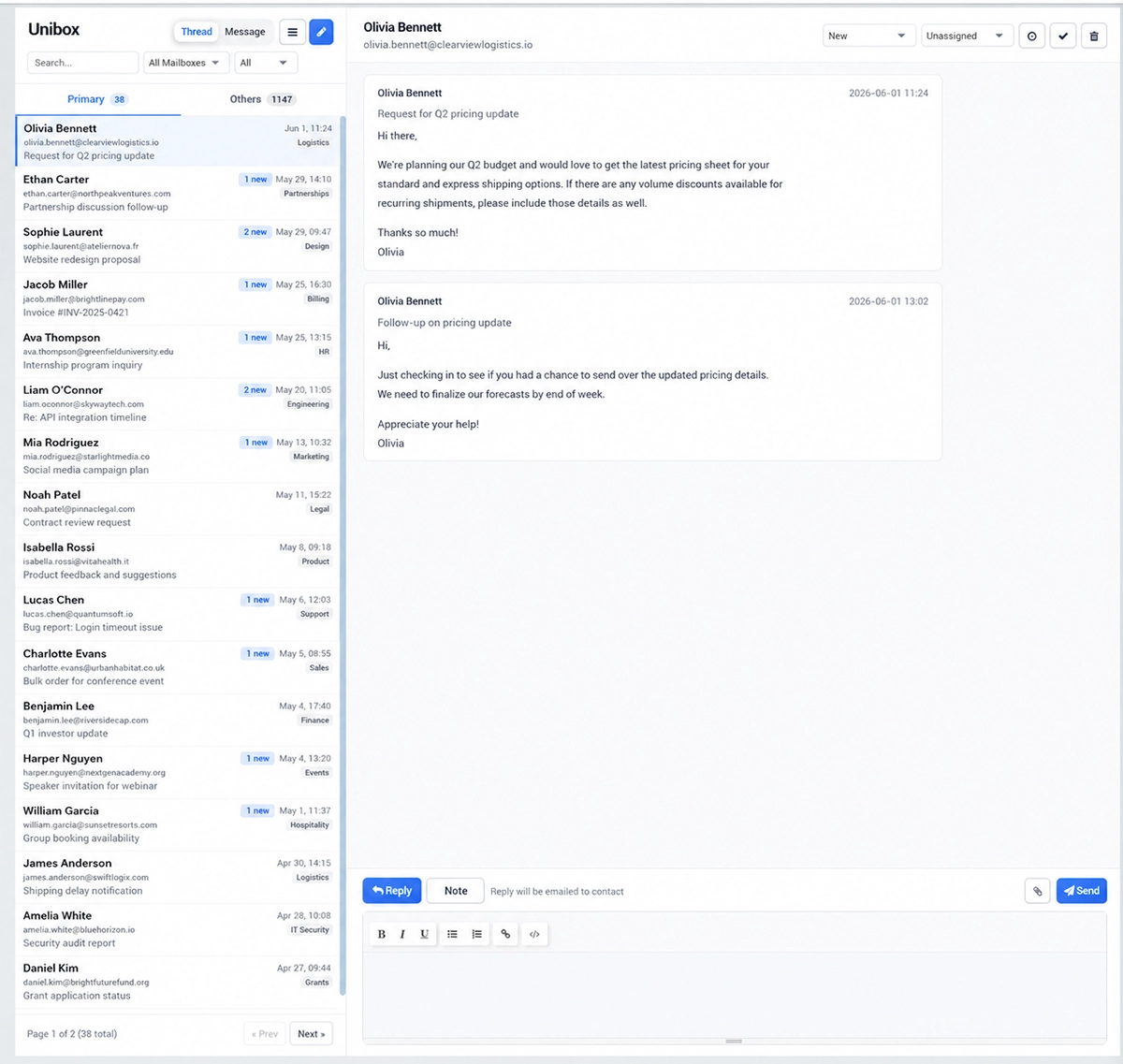
The left side of the Unibox shows your conversation list.
You can switch between Thread and Message view, depending on how you prefer to review communication.
Thread view groups messages into conversations.
Message view shows individual messages.
Use the search field to quickly find a conversation or message.
Use the mailbox filter to display messages from a selected mailbox, or keep All Mailboxes selected to see everything in one place.
The additional status filter helps narrow the list when you need to focus on a specific type of conversation.
Primary and Others
Unibox separates conversations into Primary and Others.
Primary is used for main customer conversations that need attention.
Others can be used for less important or automatically classified messages.
The counter next to each tab shows how many conversations are currently in that section.
Reading Conversations
Select a conversation from the list to open it in the main panel.
When no conversation is selected, Unibox displays a message asking you to select a conversation to view.
After opening a conversation, you can read the message history and continue communication from the same screen.
Creating a New Message
Use the compose button to create a new message.
This is useful when you want to start communication with a customer directly from Engage instead of replying to an existing thread.
Best Practices
Use Unibox as the central place for customer email communication.
Filter by mailbox when multiple teams or sending addresses are connected.
Keep customer conversations organized so sales, support, and follow-up communication can be handled without switching tools.