
Introduction
Antamedia Cafe & Kiosk is a centralized management platform for Windows computers, gaming stations, and connected entertainment devices in public and shared environments.
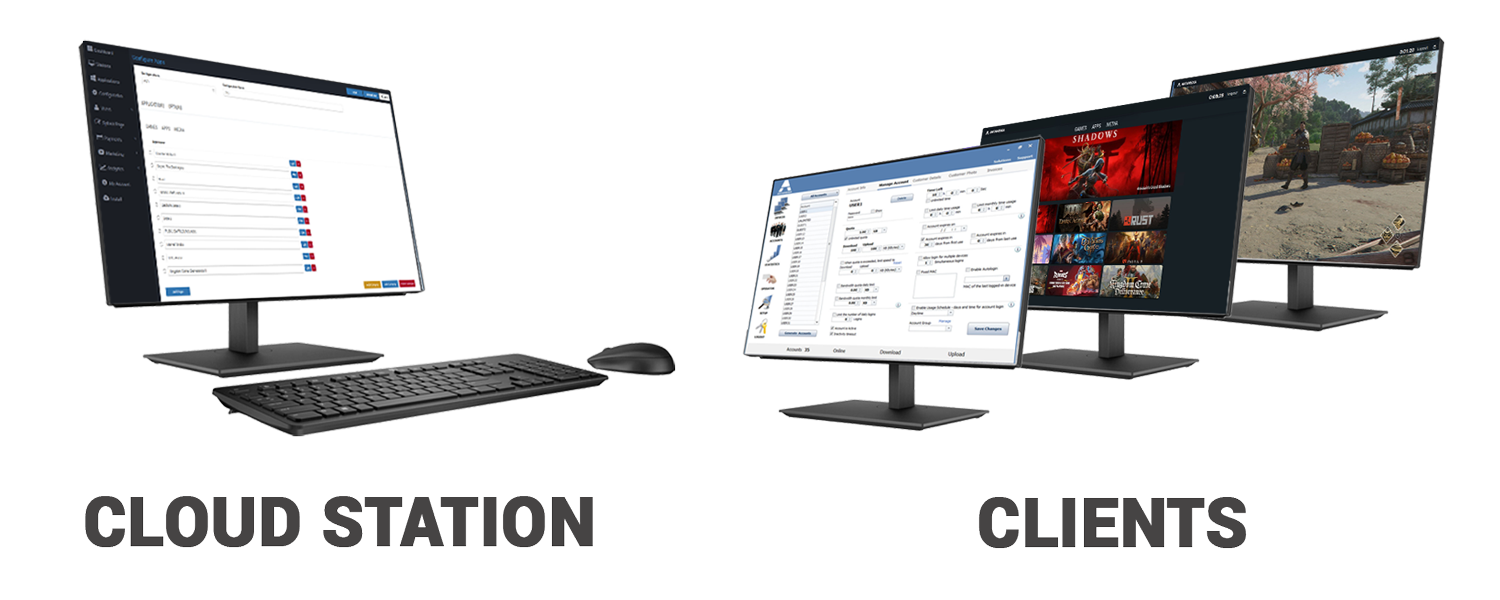
It helps businesses control customer access, manage usage sessions, organize applications and games, monitor connected stations, and provide a consistent user experience from a single online dashboard.
Cafe & Kiosk is suitable for Internet cafes, gaming centers, hotels, schools, libraries, coworking spaces, and self-service kiosks.
Please ensure that you create your administrator account first on Antamedia portal before starting the software installation.
Open Antamedia account here
https://app.antamedia.com/
During the setup process, the installer will require you to log in with these exact credentials to authorize the server and connect your database properly.
Downloading and installing the Cafe software before creating an account will prevent the initial setup wizard from completing successfully.
How Cafe & Kiosk Works
Cafe & Kiosk connects managed stations to your Antamedia account, allowing administrators to configure and monitor multiple devices from one central dashboard.
The system consists of two main components:
1. Cafe & Kiosk Dashboard
The web-based management interface provides centralized control over registered stations, users, applications, access settings, payments, and reports.
Administrators can view station activity, manage user access, configure available services, and monitor usage across multiple locations.
2. Managed Stations
Windows computers are registered with your Antamedia account and configured to operate in either Cafe Mode or Kiosk Mode.
Each station has its own settings, applications, and access configuration. Once connected, the station communicates with the management platform to support controlled customer sessions.
This architecture allows administrators to manage stations without configuring each computer separately for routine operations.
Cafe Mode and Kiosk Mode
Cafe & Kiosk provides two operating modes designed for different environments.
Cafe Mode: Gaming and Application Access
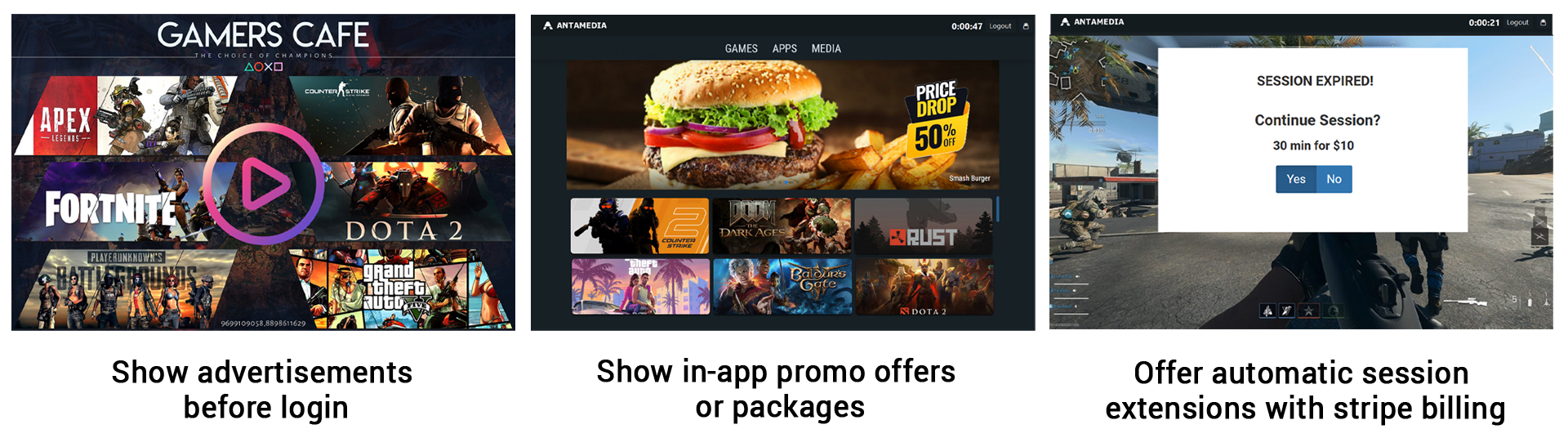
Cafe Mode is designed for Internet cafes, gaming centers, and shared computers where customers need access to selected applications, games, and other services.
Administrators can configure which applications are available and how customers access them.
Typical uses include:
Providing access to installed games and applications.
Managing customer sessions and allocated usage time.
Displaying a branded interface with available games and services.
Presenting promotional banners, advertisements, and offers.
Managing paid access and customer accounts.
Monitoring usage and station activity.
Kiosk Mode: Controlled Web Access
Kiosk Mode is designed for environments where users should access a limited set of web-based services rather than the standard Windows desktop.
It provides controlled browsing through a restricted Chromium-based browser.
Administrators can configure the browsing environment and available services to suit the intended purpose of the station.
Typical uses include:
Public Internet access terminals.
Hotel guest browsing stations.
Library and educational computers.
Information and self-service kiosks.
Shared computers in reception areas and business centers.
Choose Cafe Mode when customers need access to games and desktop applications. Choose Kiosk Mode when customers primarily need a controlled web browsing environment.
Gaming Consoles and Connected Devices
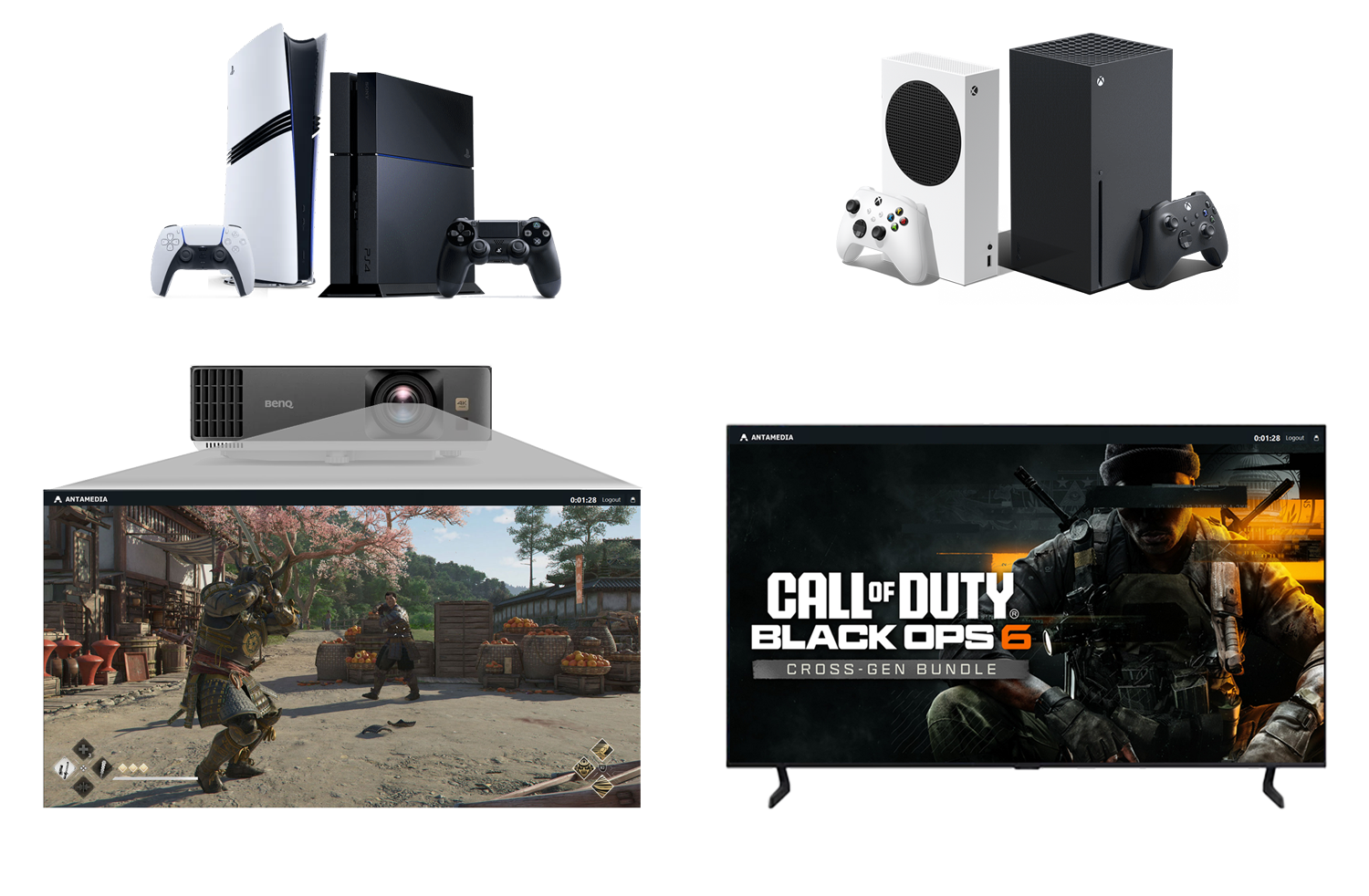
In addition to Windows computers, Cafe & Kiosk supports management scenarios involving gaming consoles, TVs, and other connected equipment.
Integration with compatible Tuya IoT devices allows administrators to control the power supply of supported equipment through connected smart hardware.
This is particularly useful in gaming centers where customers rent access to PlayStation or Xbox consoles for a specified period.
For example, an administrator can use a compatible smart device to control power to a gaming station as part of its operational workflow.
To manage gaming consoles, TVs, and other connected equipment through Tuya IoT integration, an active Tuya subscription is required, along with compatible Tuya smart devices.
The Tuya subscription is managed separately from Antamedia Cafe & Kiosk.
Centralized Management and Key Features
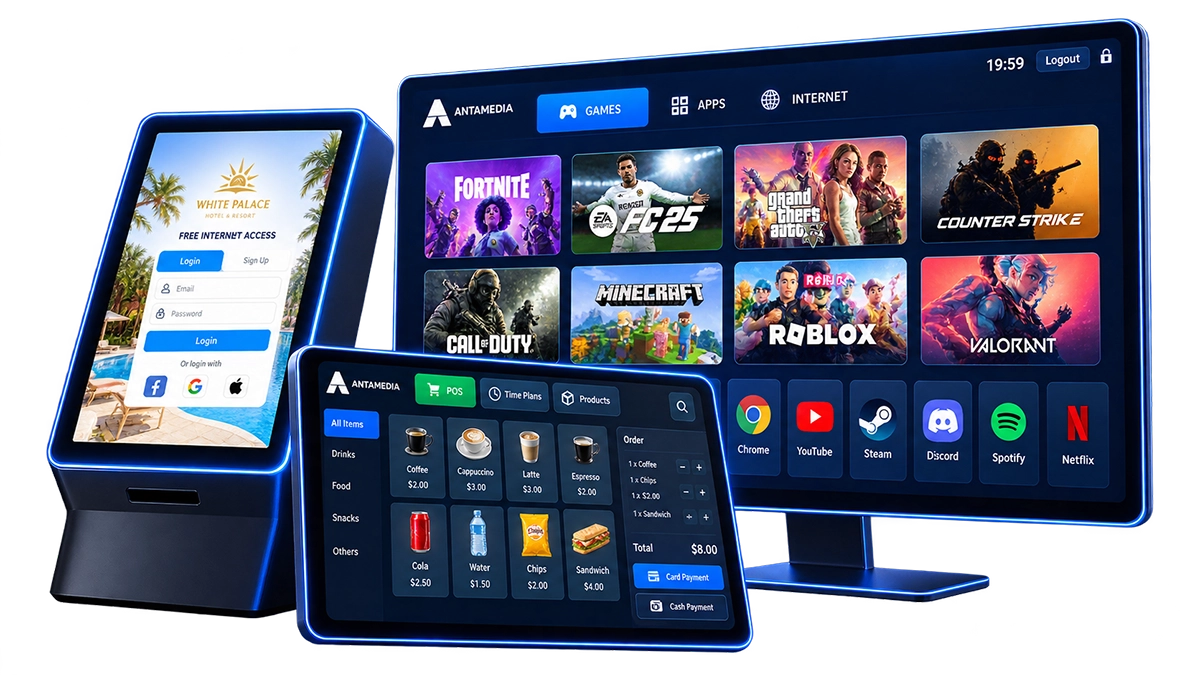
The Cafe & Kiosk dashboard brings together the tools needed to operate and manage customer-facing stations.
Stations and Applications
Register computers, review their connection and operational status, configure station settings, and manage available applications and games.
User and Session Management
Manage customer accounts, control access to stations, and track usage sessions. Configure access according to the services and usage plans offered by your business.
Splash Pages and Branding
Create customized customer-facing pages with your business branding, available services, promotional content, and advertisements.
Payments and Access Plans
Configure paid access options and usage plans. Offer customers access based on the configured pricing and session rules.
Marketing and Customer Engagement
Use available marketing tools to create promotional campaigns, display advertising, and communicate with customers through supported messaging channels.
Analytics and Reporting
Review station usage, customer activity, and operational data through the centralized dashboard to better understand how your facilities are being used.
Getting Started with Cafe & Kiosk
To begin using Cafe & Kiosk, follow these steps:
Install and Register Your Stations: Prepare your Windows computers, complete installation, and connect each station to your Antamedia account.
Configure Stations: Select the appropriate operating mode and configure station-specific settings.
Set Up Applications: Choose the games, applications, or browsing services available to customers.
Configure Users and Access: Create customer accounts and define how customers can access your stations.
Customize the Splash Page: Configure the customer-facing interface to match your business.
Configure Payments and Usage Plans: Set up access pricing and session rules if you offer paid services.
Monitor Your Operations: Use the Dashboard and Analytics sections to track station activity and manage your business.