
Check-ins
The Check-ins section allows staff to review and manage guest check-in information from Digital Guide.
It provides a central list of check-ins together with guest, property, stay, and status information.
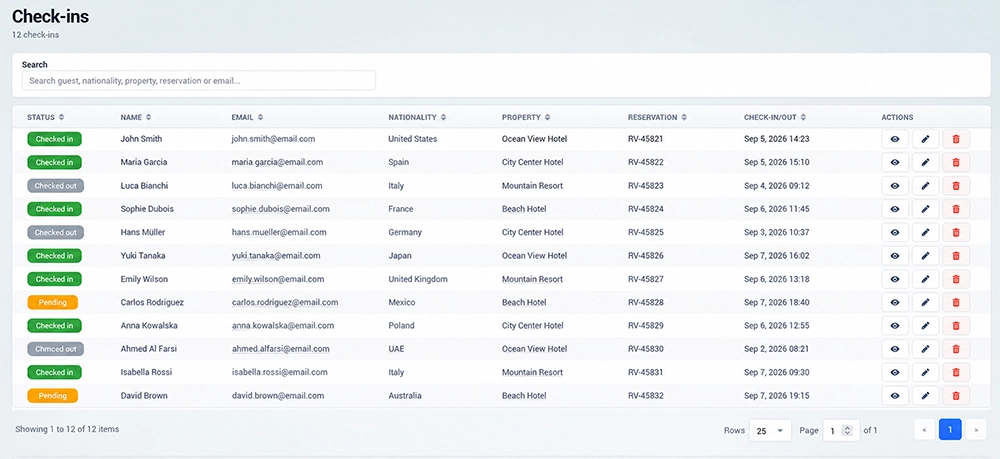
Check-in List
The Check-ins table displays the main information for each record:
Status – current check-in status
Name – guest name
Nationality – guest nationality
Property – property associated with the check-in
Check-in/out – arrival and departure information
Actions – available options for managing the check-in
Columns can be sorted to help find and organize records.
Search Check-ins
Use the Search field to quickly find a check-in by guest, nationality, property, reservation, or other available information.
This is useful when managing a larger number of guest records.
View Check-in Details
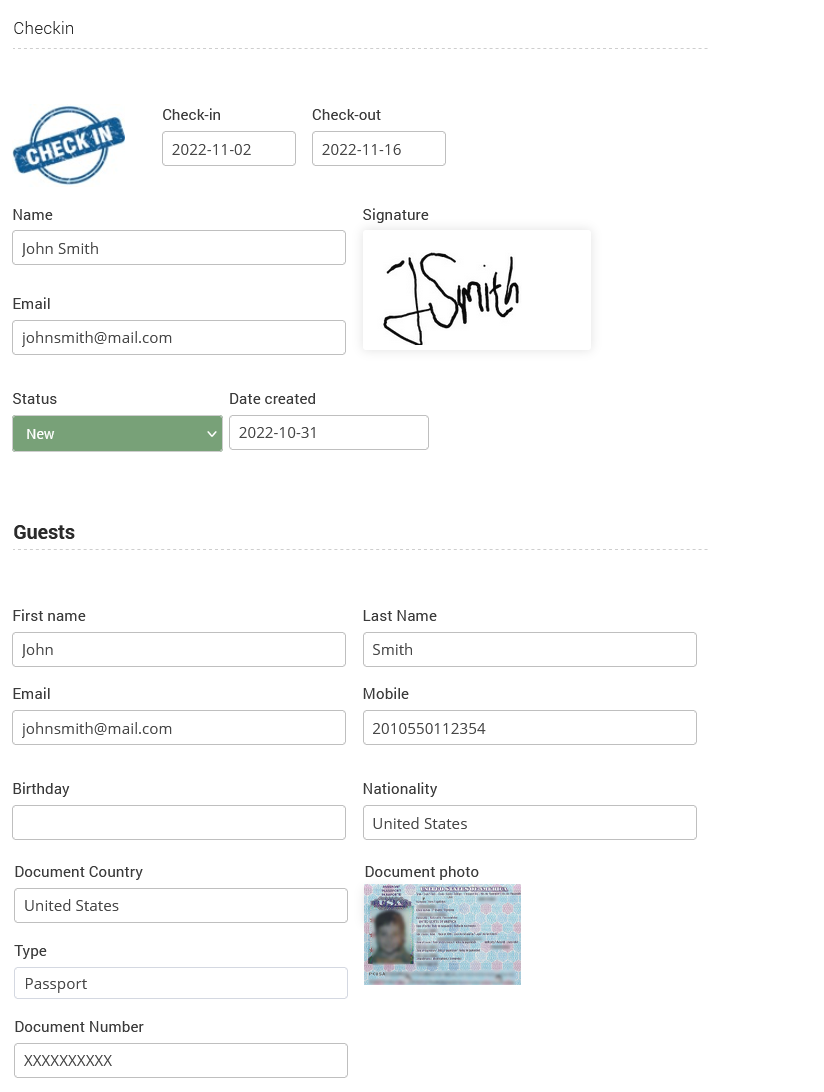
Open an individual check-in to review its complete information.
The detailed view contains the data related to the guest, reservation, property, and check-in/check-out period.
How Guests Check In
Guests can complete check-in directly through Digital Guide.
The property can share the Digital Guide with guests using the Guide URL or QR code. Once the guest opens the Guide, they can access the available check-in option and enter the requested stay and guest information.
After the check-in is submitted, the record appears in the Check-ins section for staff to review and manage.
The check-in status can then be tracked together with the guest, property, and check-in/check-out information.