
Experiences
The Experiences section lets you create and manage activities, tours, excursions, events, attractions, and other experiences that customers can explore through Digital Guide.
Experiences can include detailed descriptions, pricing, booking options, images, and multiple options for different schedules, group sizes, or packages.
Experiences marked as Favorite can also be highlighted in the Digital Guide.
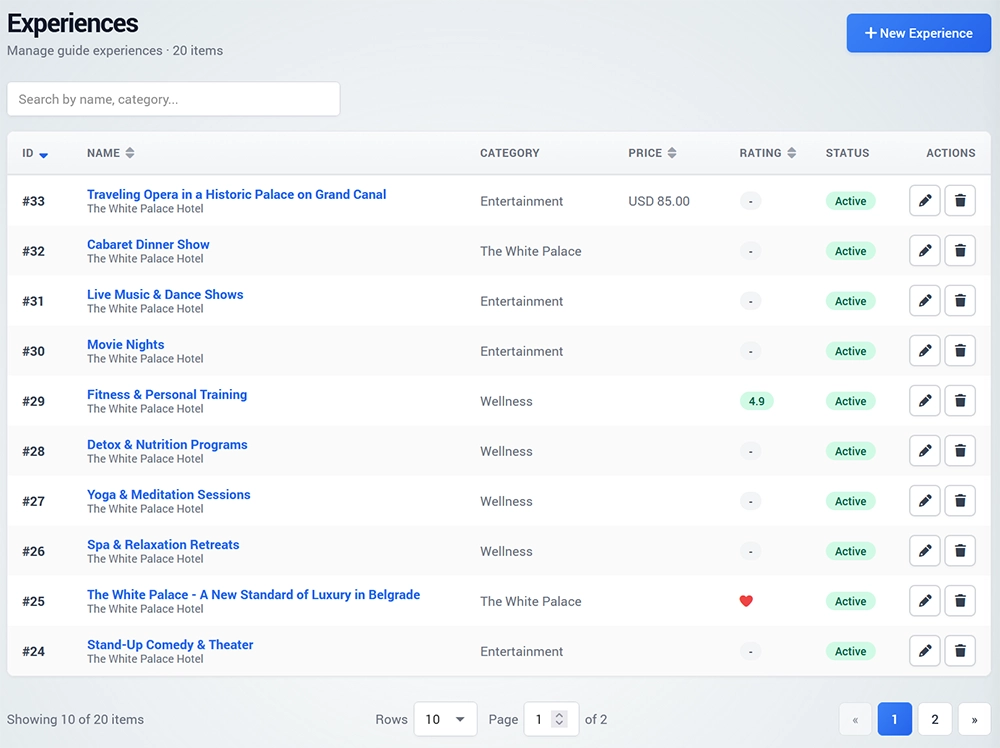
Create an Experience
To create a new Experience, open Experiences and click New Experience.
Select the Guide where the Experience will be displayed and choose an existing Category or create a new one.
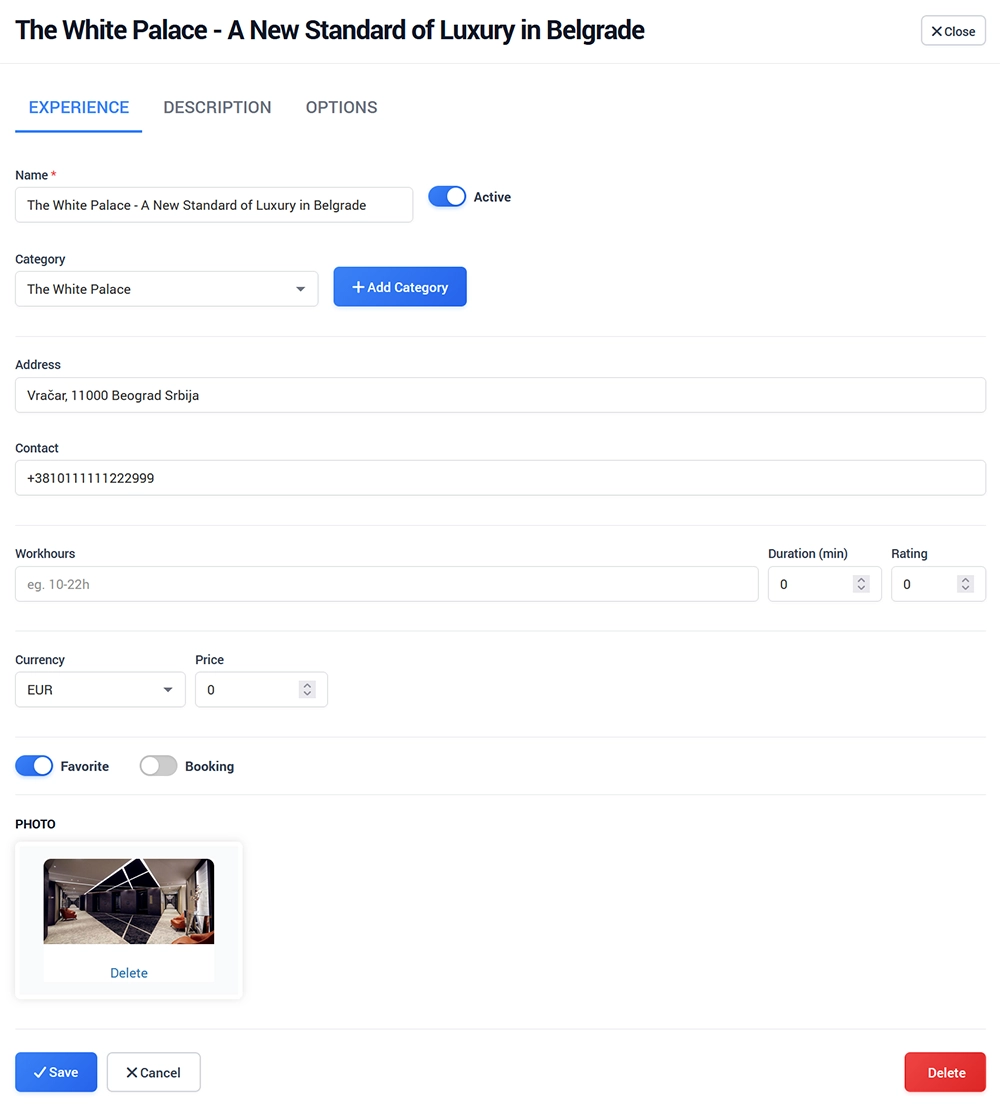
Enter the main Experience details, including:
Name
Address
Contact information
Workhours
Duration
Rating
Currency
PriceSet the Experience as Active when it is ready to be displayed.
You can also enable Favorite to highlight the Experience or enable Booking if customers should be able to make reservations.
Upload an image that will be displayed with the Experience and save the changes.
Description
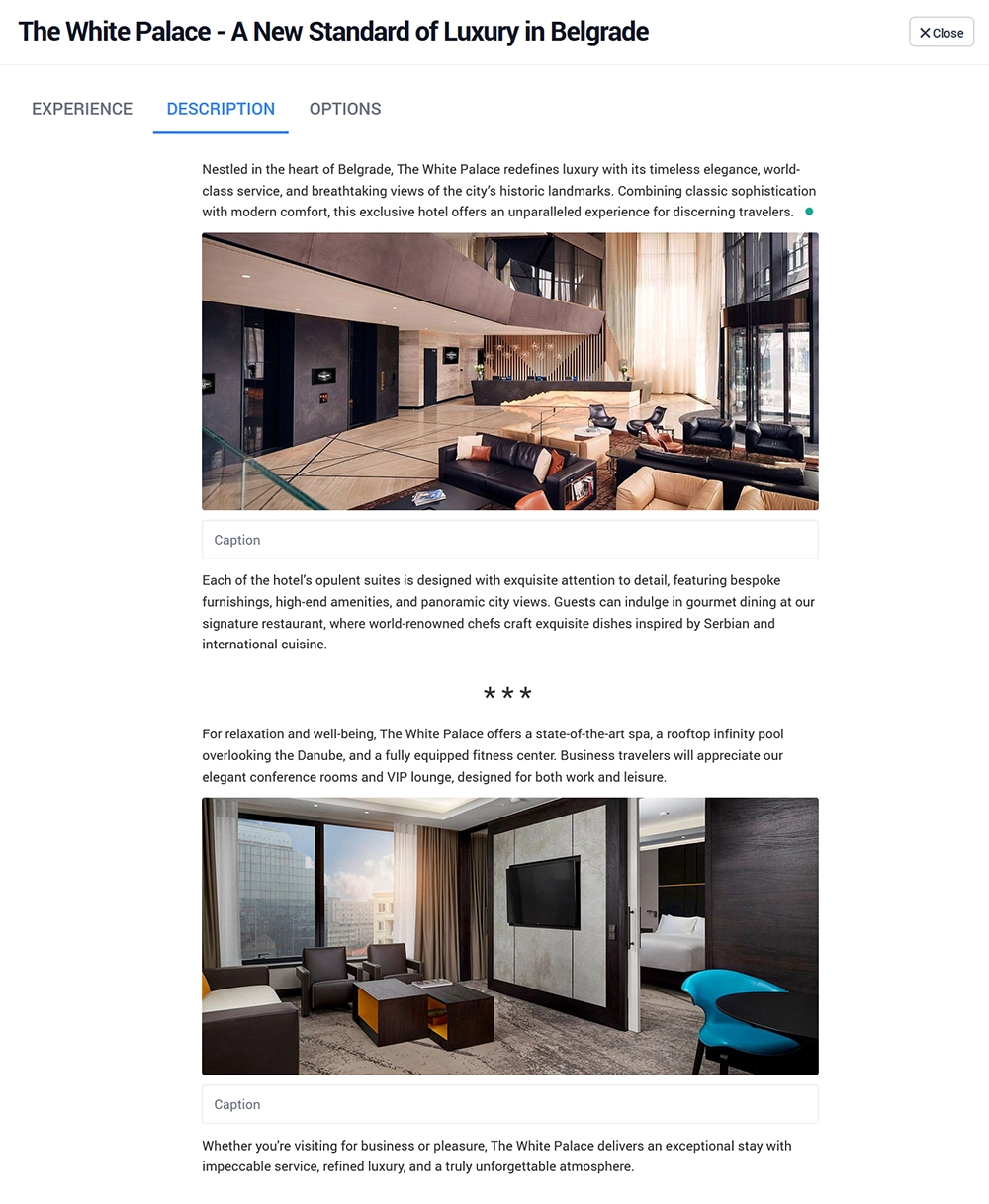
Use the Description page to create detailed Experience content.
You can add text, images, delimiters, checklists, and other available page elements using the built-in editor.
Click on an empty area of the page and use + to select and add the desired element.
Experience Options
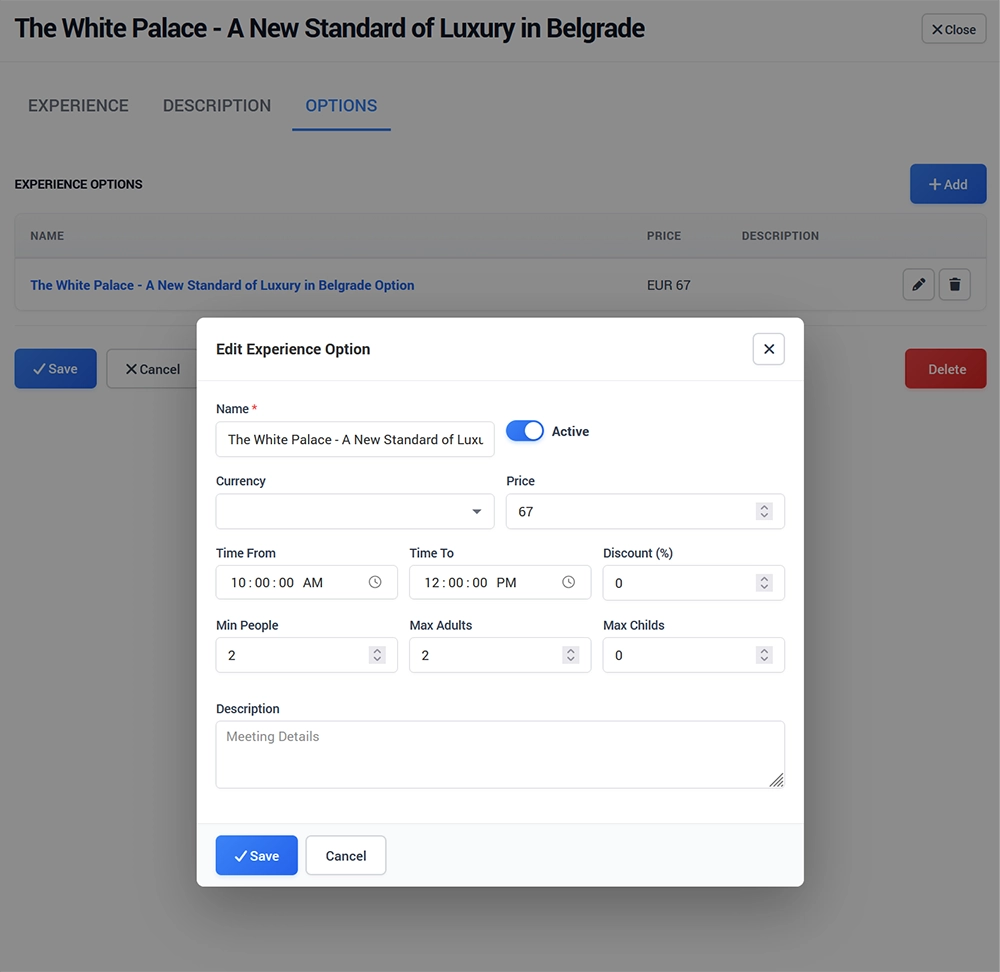
The Options section allows you to create multiple versions of the same Experience.
For example, an Experience can have different:
Time slots
Prices
Group sizes
Adult and child limits
Packages
To create a new option, click Add Experience Option.
Enter the option name, currency, price, and available time range.
Configure the minimum number of people and the maximum number of adults and children.
Set the option as Active, add a description if needed, and save the changes.
Experience Options are available to customers when Booking is enabled.