
Requests
The Requests section allows you to review and manage customer service requests submitted through Digital Guide.
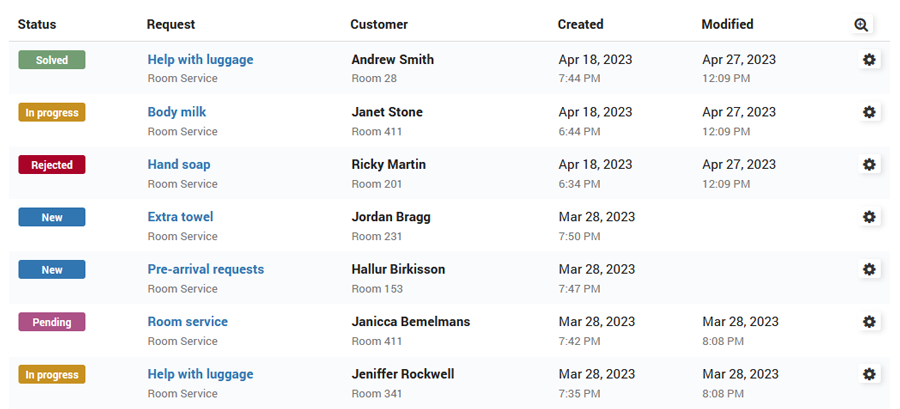
Requests can be used for room service, amenities, transportation, maintenance, rentals, and other available Services.
Requests Created by Customers
Customers can create Requests directly from Digital Guide by ordering a Service.
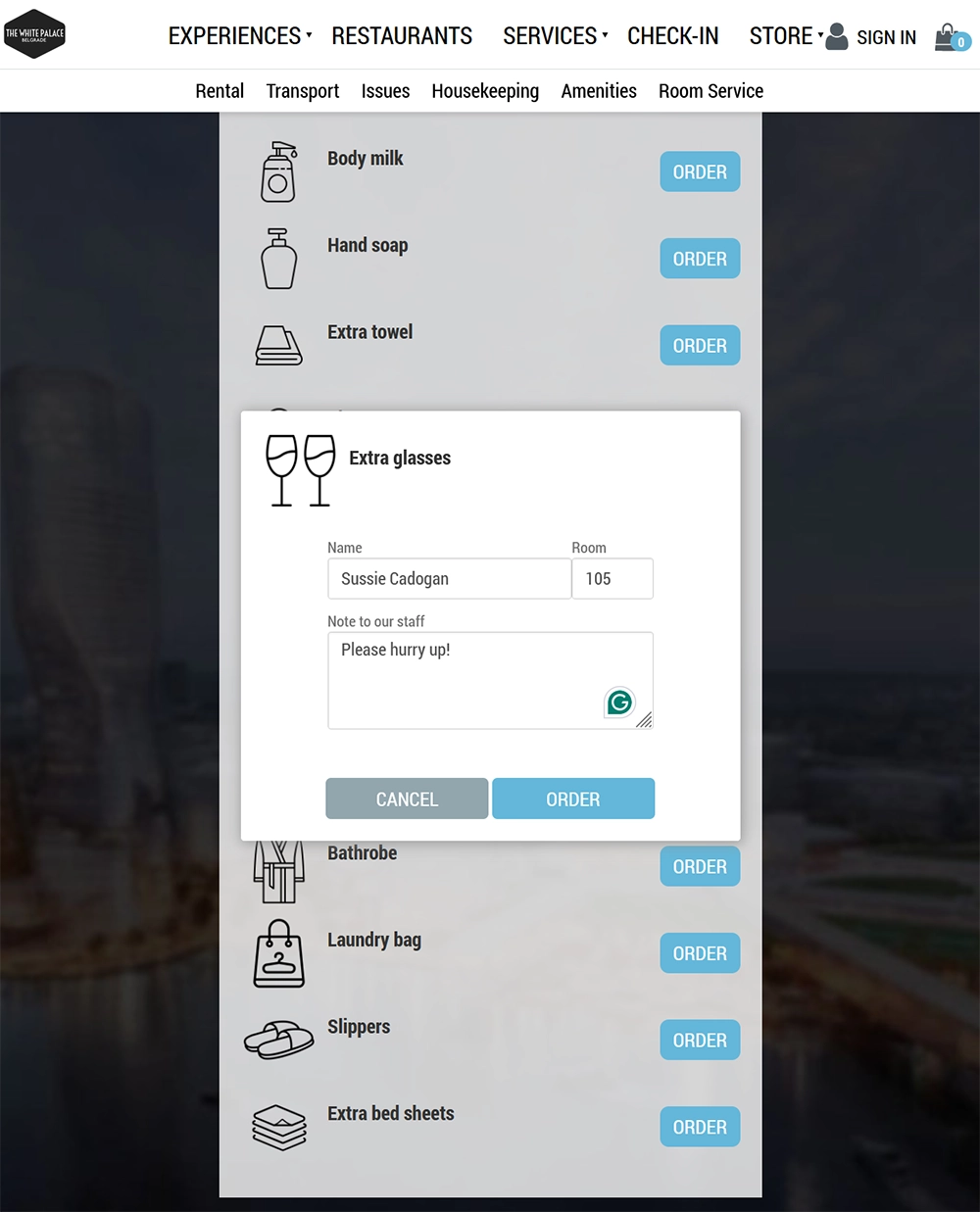
The order form can include:
Name
Room
Note to our staff
After the customer clicks Order, a new Request is automatically created in the administration panel for staff to review and process.
Create a New Request
You can also create a Request manually from the administration panel.
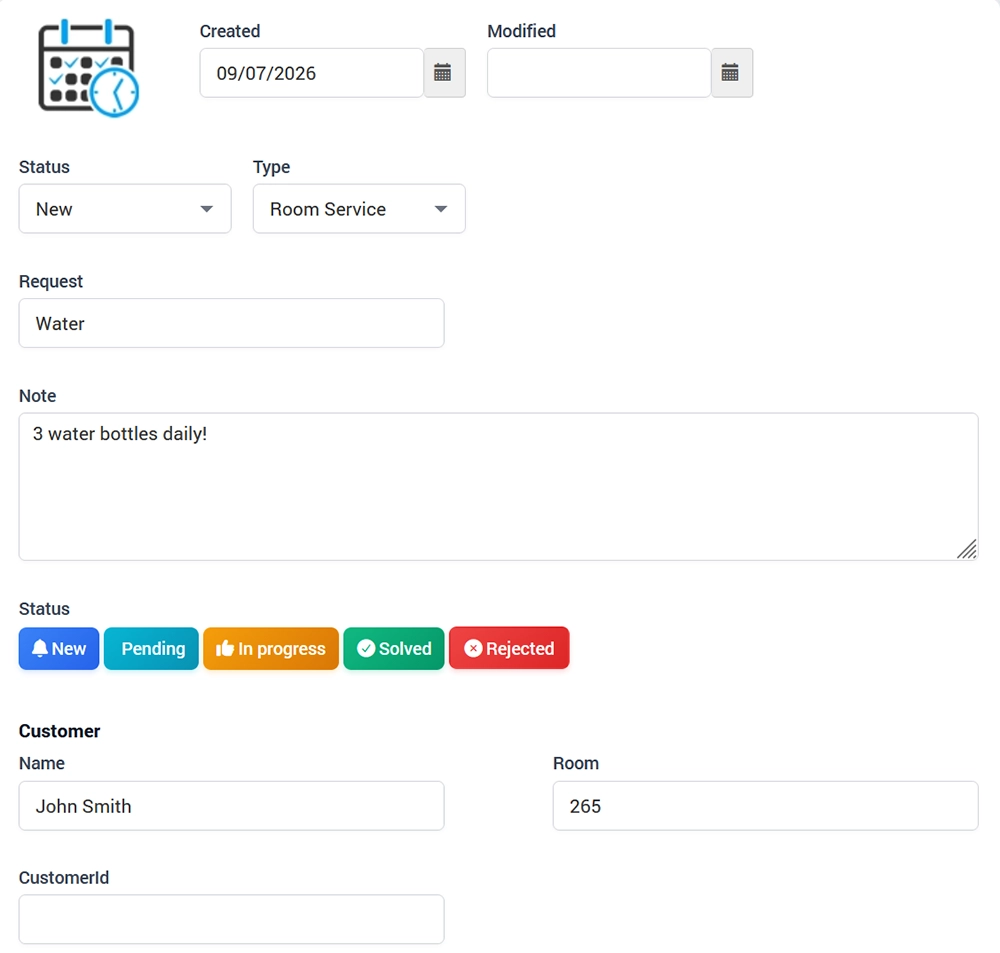
Open Requests and click New Request.
Enter the main request information:
Created – date when the request was created
Modified – date when it was last updated
Status – current request status
Type – request type
Request – short description of the request
Note – additional information or internal notes
Request Status
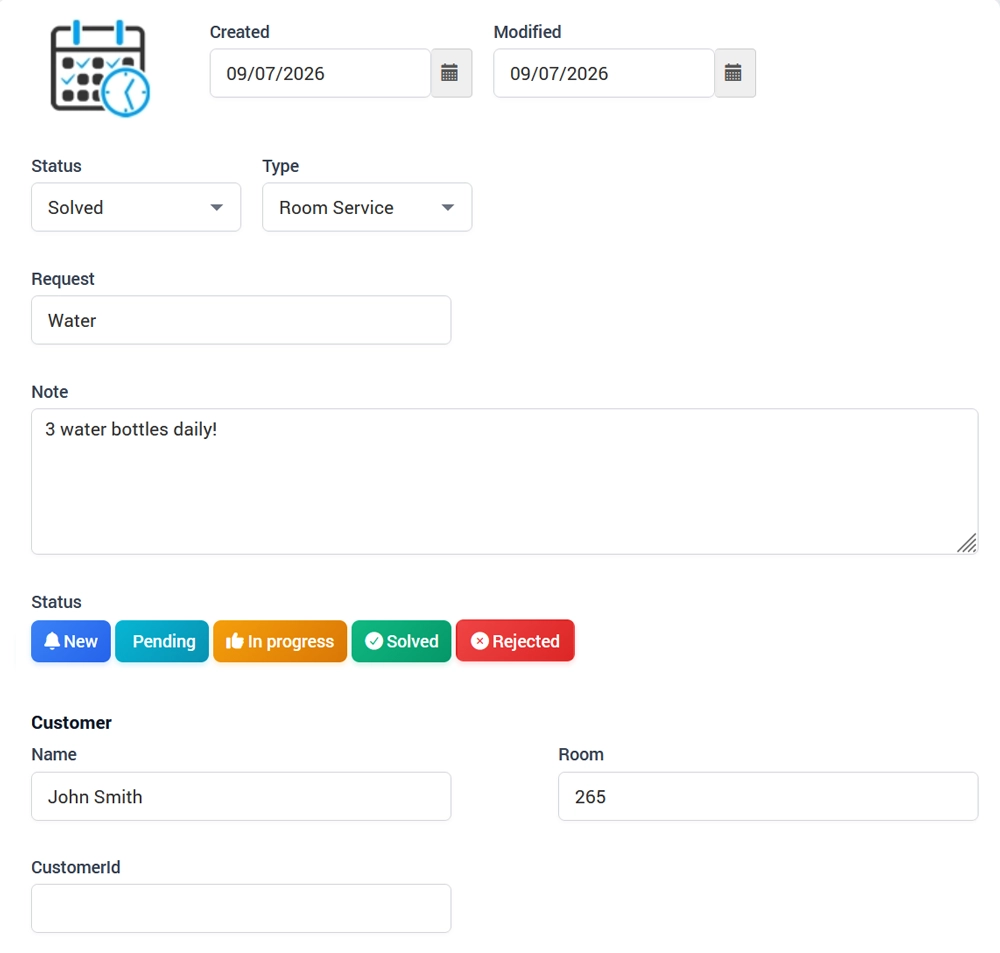
A Request can have one of the following statuses:
New
Pending
In progress
Solved
Rejected
Update the status as the request is being handled.
Customer Information
The Customer section contains information related to the guest who submitted the request:
Name
Room
CustomerId
Click Save to create or update the Request.