
Restaurants
The Restaurants section lets you add restaurants, cafés, bars, and other dining options that customers can discover through Digital Guide.
Each restaurant can include location and contact details, opening hours, cuisine information, reservation details, photos, and menus.
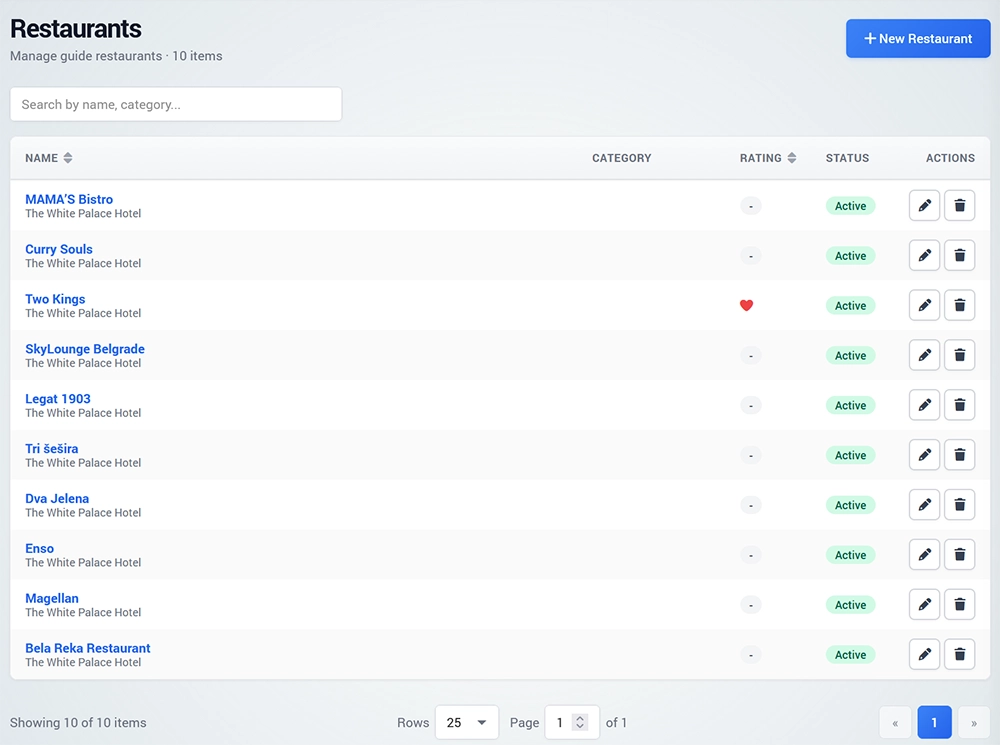
Add a Restaurant
To create a restaurant, open Restaurants and click New Restaurant.
Select the Guide where the restaurant will be displayed and choose an existing Category or create a new one.
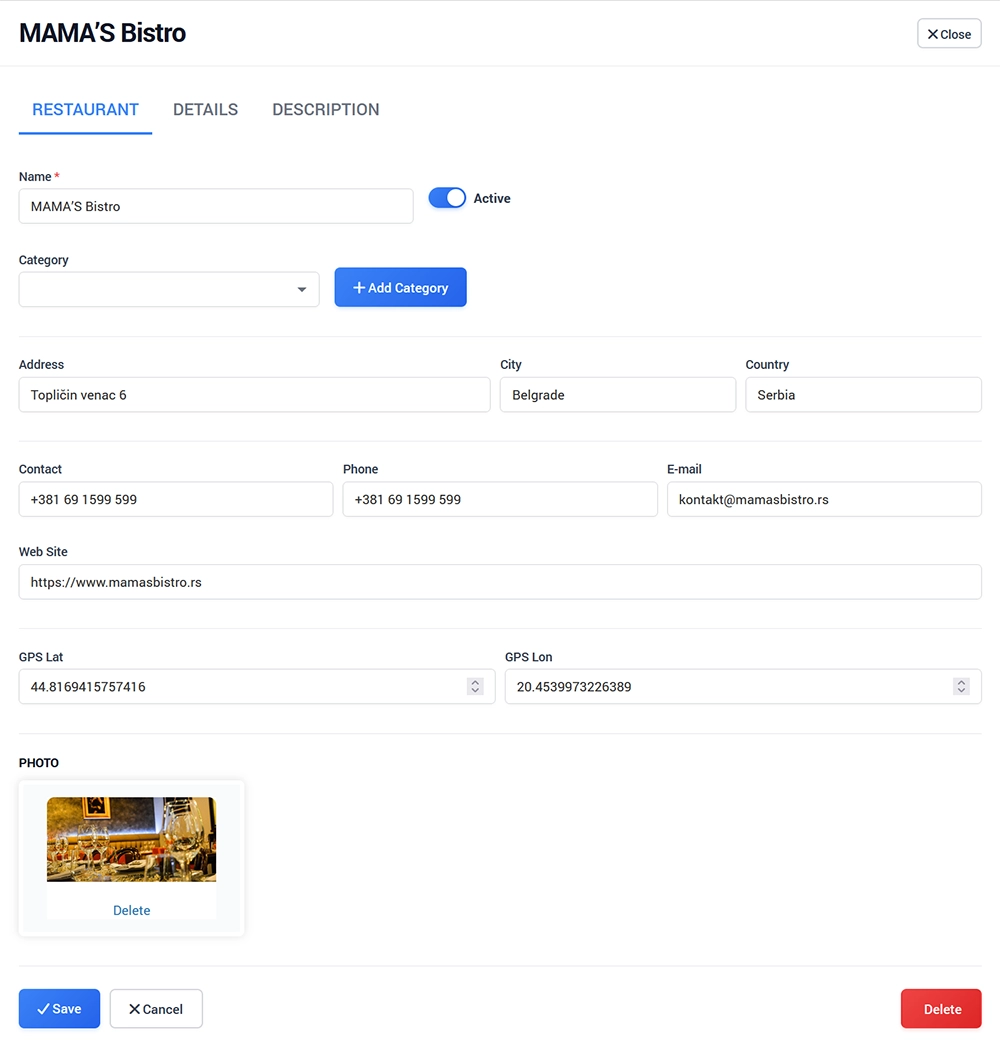
Enter the restaurant information, including:
Name
Rating
Address
GPS latitude and longitude
Workhours
Contact information
Website
Email
Phone
You can also configure the minimum and maximum number of people per meal.
Restaurant Details
Add a description of the restaurant and any information customers need when making a reservation.
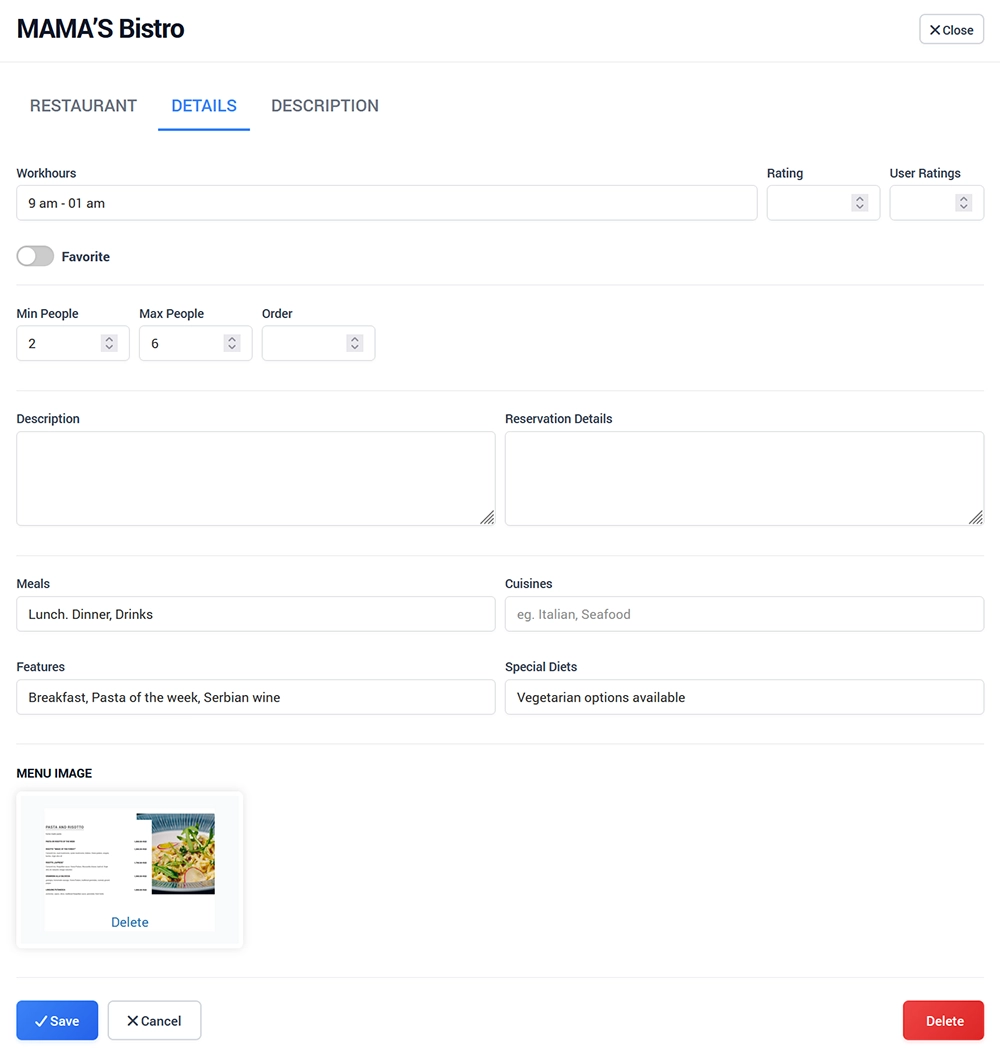
You can optionally specify:
Meal types
Cuisines
Restaurant features
Special diets
Set the restaurant as Active when it is ready to be displayed.
Enable Favorite if you want to highlight it in Digital Guide.
Upload the restaurant photo and menu image, then save the changes.
Description
Use the Description page to add detailed information about the restaurant.
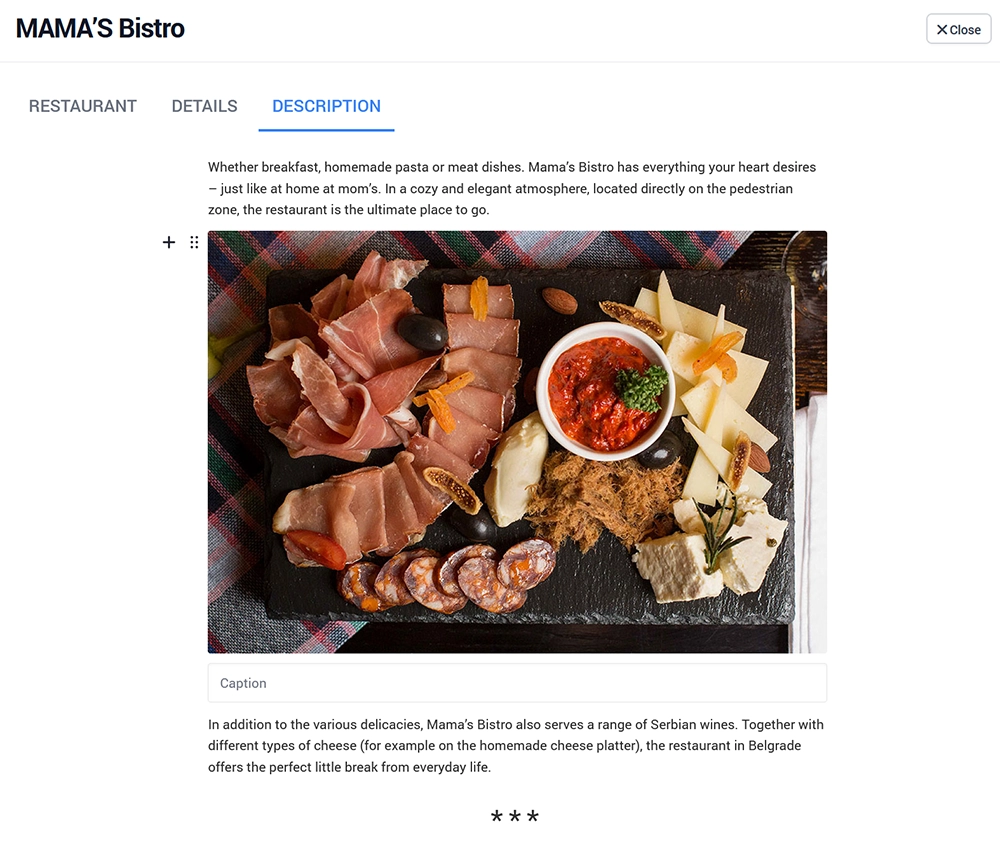
You can include text, images, delimiters, checklists, and other available content elements using the built-in editor.
Use this section to provide additional details such as the restaurant concept, dining experience, menu highlights, dress code, reservation notes, or other useful information for customers.
Click on an empty area of the page and use + to add the desired content element.