
Services
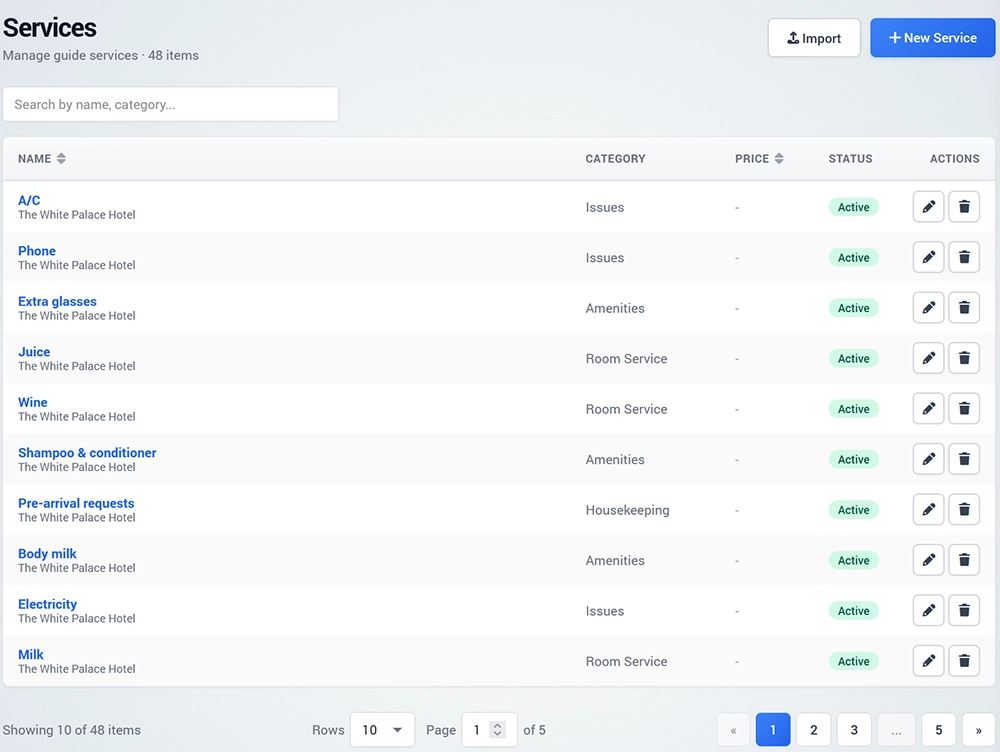
The Services section lets you create and manage services that customers can request or book directly through Digital Guide.
Services can include hotel amenities, room services, transportation, spa treatments, rentals, activities, and other additional offers.
Import Preconfigured Services
Digital Guide includes an option to quickly create services from predefined templates.
Open Services and click Import Services.
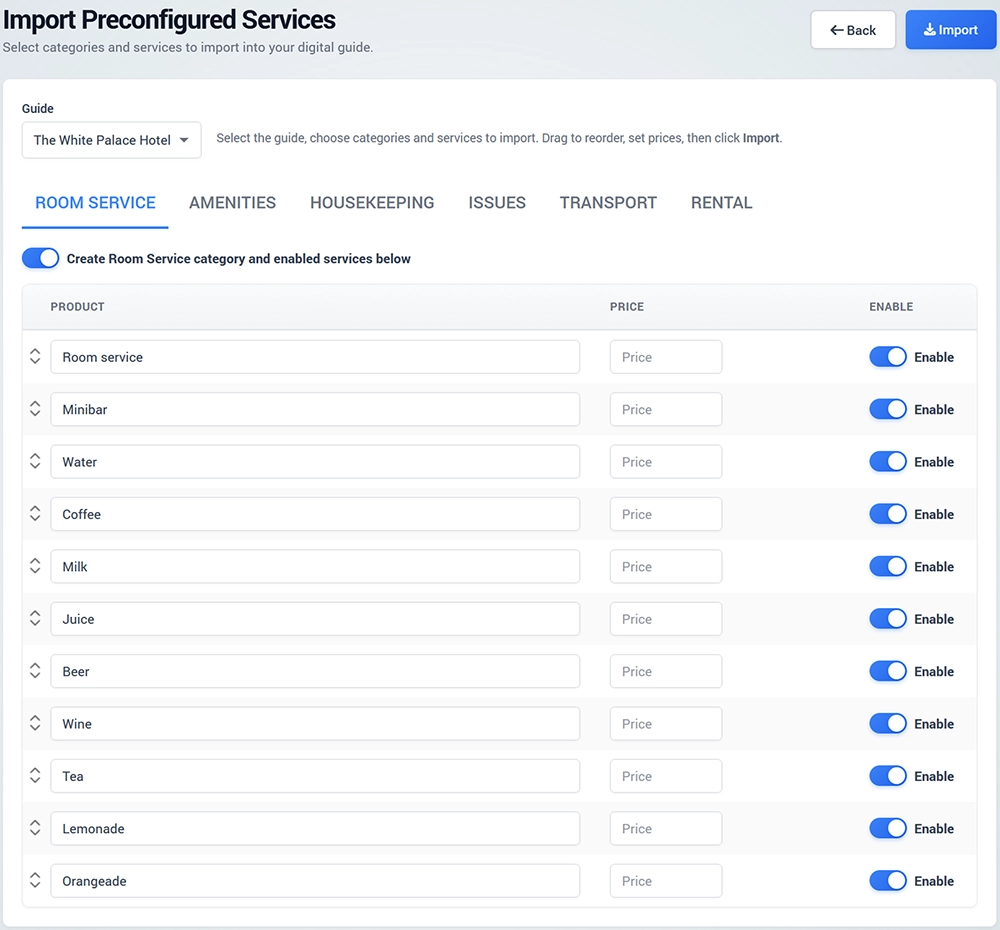
On the Import Preconfigured Services page, select the services you want to make available.
You can enable or disable individual services or complete service categories before importing them.
Create a Service
To create a service manually, click New Service.
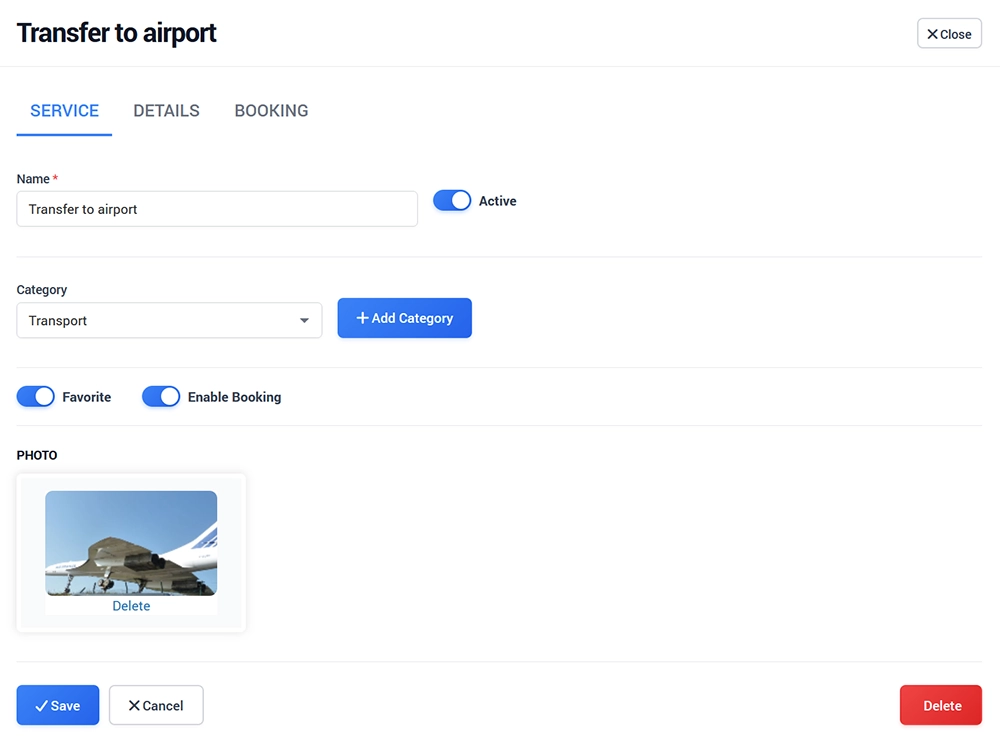
Select the Guide and choose an existing Category or create a new one.
Configure the main service details:
Service Name
Type
Description
Currency
Price
Additional settings may become available depending on the selected service type, such as Duration, Meeting Details, or other service-specific options.
Set the service as Active when it is ready to be displayed.
You can also enable Favorite to highlight the service or enable Booking when customers should be able to book it.
Upload the service image and save the changes.