
Store
The Store allows customers to browse and purchase products directly through Digital Guide.
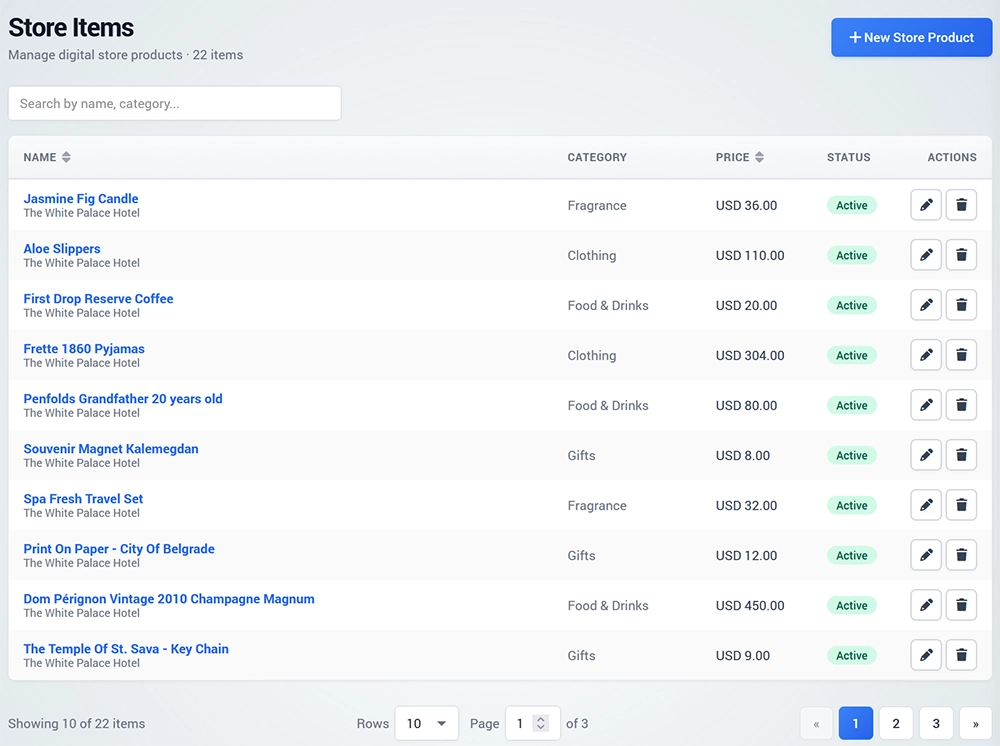
You can offer hotel amenities, travel essentials, food and beverage items, souvenirs, merchandise, gifts, and other products.
Create a Store Product
Open Store and click New Store Product.
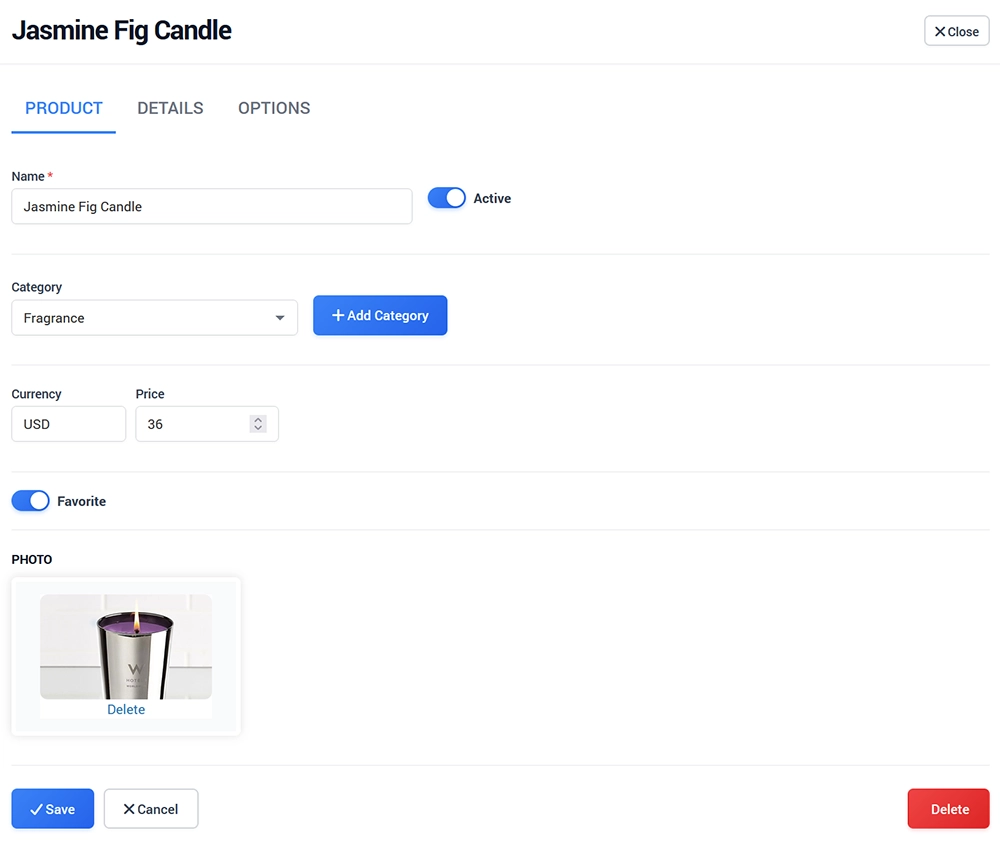
On the Product page, configure the main product information:
Name
Category
Currency
Price
Short description
Product image
Select the appropriate Category so customers can easily find the product in Digital Guide.
Product Details
Use the Details page to create more detailed product content.
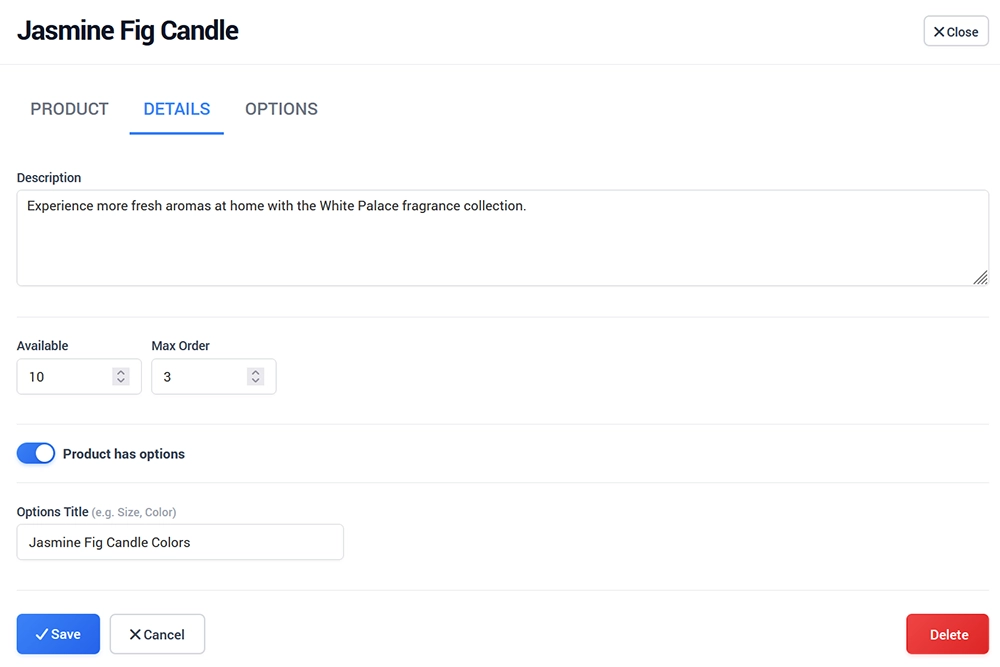
You can include additional text, images, delimiters, checklists, and other available content elements using the built-in editor.
Use this section to provide product details, usage information, specifications, or other information that may help customers before making a purchase.
Options
The Options section allows you to create different variants of the same product.
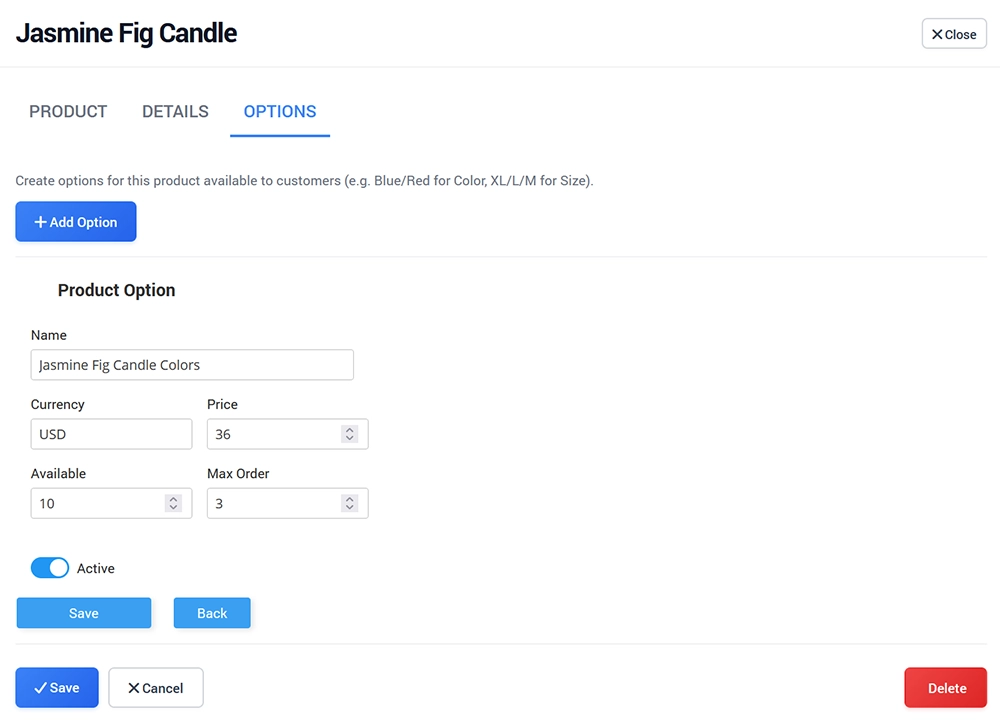
For example, a product can have different:
Sizes
Colors
Packages
Quantities
Prices
Create the required options and configure the available values for each product variant.
Use Options when customers need to choose between multiple versions of the same Store item before completing the purchase.