
 Configuration
The Configuration section is where you define how charging works for both Play and Pay and User Pre-paid sessions.
Cloud Station supports two charging models for sessions: Play and Pay for walk-in, on-the-spot billing, and User Prepaid for accounts that already have time or credit.
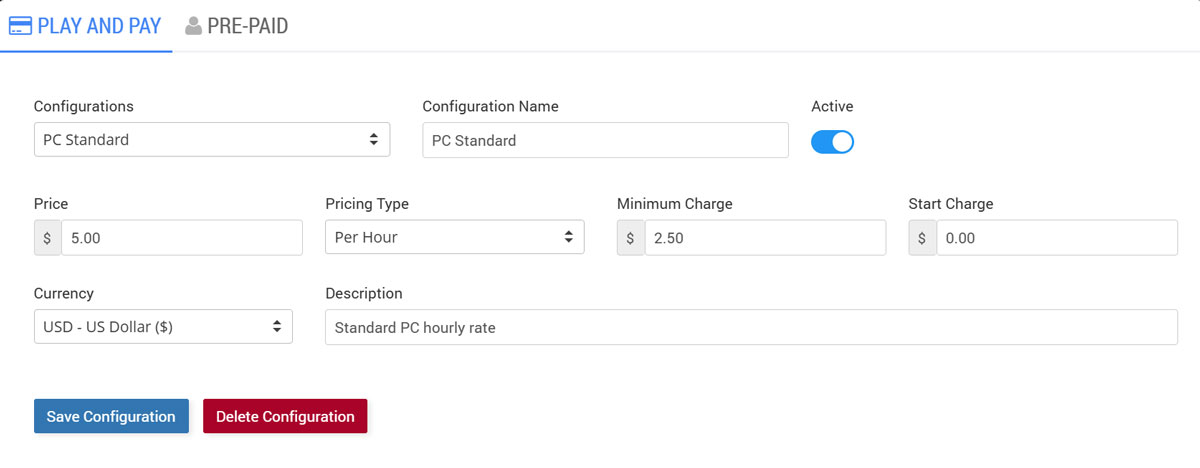
In Play and Pay, you create configurations (for example, “PC Standard”), enable/disable them, set the price and pricing type (such as Per Hour), and apply billing rules like Minimum Charge and Start Charge, plus currency and a short description.
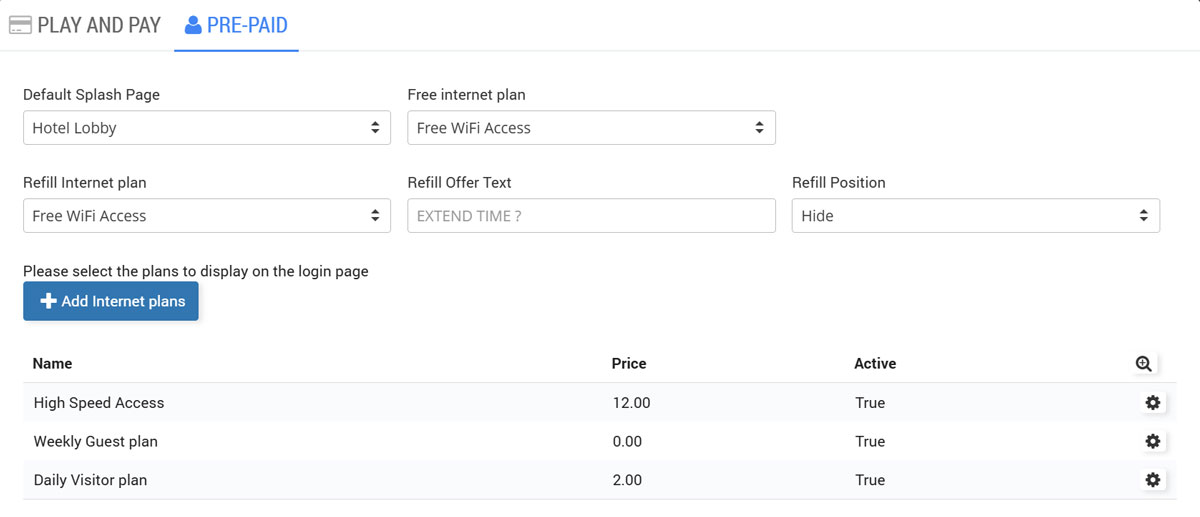
In Pre-paid, you control which Splash Page and Internet Plan are used for free access and refills, and you can customize the Refill Offer Text and whether the refill prompt is shown (Refill Position). You can also select which plans appear on the login page using Add Internet plans, giving you full control over what prepaid options users see and can extend.
Play and Pay
In Play and Pay, the operator selects a station, sets either a time limit or a cost limit, and starts the session immediately.
When the session ends, the system generates a bill item (for example, “PC 2 Session 1 min”) and sends it to the POS cart.
The cashier completes payment by selecting a method (Cash, Card, Wallet, or Split), and Cloud Station issues a receipt with transaction ID, date/time, station, items, and totals.
User Prepaid
User Prepaid lets staff start a session by searching the user’s email-based username, then launching the session using the remaining time/plan shown on the screen.
It displays key account details such as Time Left, Plan, Last Used, and status, so the operator can confirm the customer is eligible before starting.
When the session is active, the interface shows elapsed time and remaining time, with a one-click option to stop the session. Cloud WiFi user accounts can also be used here, so the same login can work across WiFi access and Cloud Station usage where enabled.