
Taxes
If you are required to charge tax for your services Antamedia Internet Cafe offers a flexible tax setup.
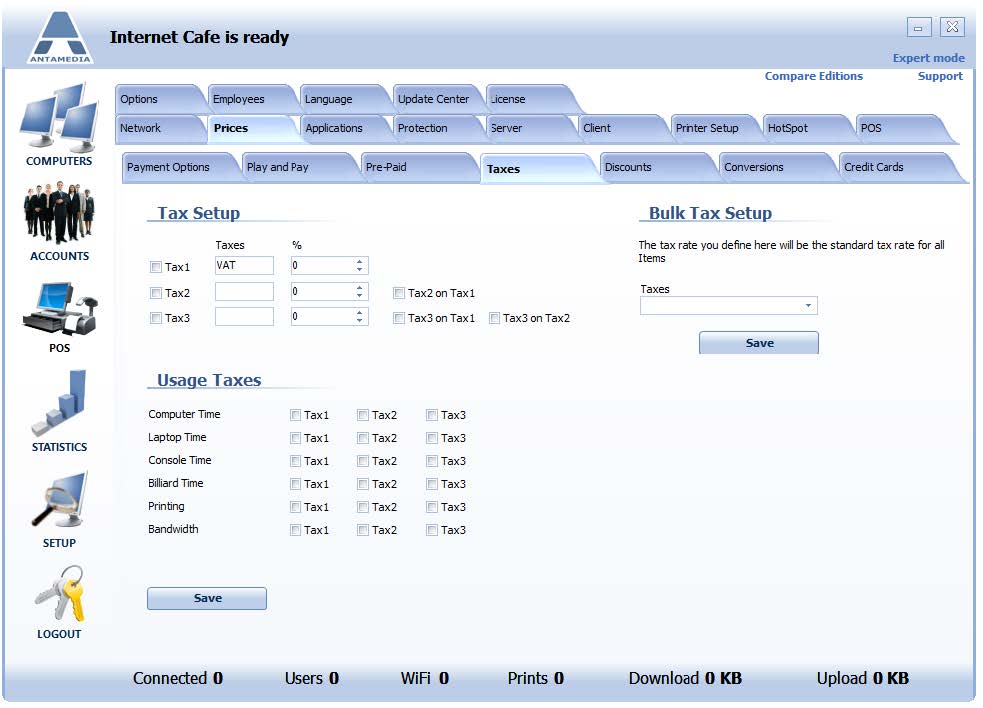
There are 3 different taxes to configure with a tax on a tax option.
Tax configuration examples:
If you have a single tax to charge:
1. enable Tax1, name it (like VAT)
2. configure % value
3. press the Save button
If your country regulation requires a second tax to be calculated as a percent from the value of the first tax, please enable Tax2 on Tax1.
If you have two different taxes to charge:
1. enable Tax1, name it (like VAT)
2. configure % value
3. enable Tax2, name it
4. configure % value
5. press Save button
Here you can also configure Usage taxes for Computer Time, Laptop Time, Console Time, Billiard Time, Phone Time, Printing and Bandwidth.